
Choose a workspace app that keeps tasks, notes, files, and links visible together so active work is easier to re-enter.
Most teams do not lose work because they forgot to buy software. They lose it because the task, note, file, decision, and link all live in different places. A workspace app should solve that problem. It should give active work one visible place to gather, so you can return later and understand what matters without rebuilding the whole scene from memory.
What a Workspace App Is Supposed to Do
A workspace app is a place where active work can hold together while it is still moving.
That sounds simple. In practice, most tools split the work apart.
The task goes into a task manager. The file goes into cloud storage. The meeting note goes into a doc. The useful link stays in a browser tab. The next decision gets buried in chat.
A real workspace app should reduce that distance. It should keep the project close to its context.
Microsoft’s June 2025 WorkLab report on the “infinite workday” describes a day broken up by constant communication. The average worker receives 117 emails a day and 153 Teams messages per weekday. Nobody can do focused work inside a stream like that.
The job of a workspace app is to turn the stream back into a place.
That does not mean every workspace app has to replace every tool. It means the active project needs one surface where the most important materials can sit together long enough to become useful.
So judge a workspace app by how quickly it gets you back into the work, not by the length of its feature list.

Why Work Falls Apart Across Too Many Apps
Work gets harder when every part of the project has a different home.
One app owns tasks. Another owns files. Another owns notes. Another owns messages. Another owns bookmarks. Each tool may work fine by itself, but the project no longer has a single shape.
That creates small moments of friction all day:
- Where is the latest file?
- Did I write that in the meeting note or the project doc?
- Which task points to the actual draft?
- Was the useful link in chat, email, or a tab?
- What did I decide last time?
Those questions look harmless until they become the work.
BetterCloud’s 2026 State of SaaS data puts the average company at 118 SaaS apps, up from 106 the year before. Your own stack may be smaller, but the pattern is the same. The work spreads faster than the system can explain itself.
Microsoft’s 2023 Work Trend Index found that 68% of people say they lack enough uninterrupted focus time, and 62% say they struggle with too much time spent searching for information.
That is the hidden cost of scattered work: every app switch comes with a round of reconstructing context.
A useful business productivity app should not add another place to check. It should make the active work easier to see.
This is also why app consolidation matters. Minimalism for its own sake isn’t the point. Fewer broken handoffs between the things that belong together is. If your team already feels buried by tabs, inboxes, and boards, it may be time to consolidate your workflow.
The Re-Entry Test for a Workspace App
The best test for a workspace app is not setup day.
It is tomorrow.
Can you open the workspace and immediately see what you were doing? Can you tell which file matters, which note explains the decision, which task is next, and which link supports the work?
If the answer is no, the app is mostly storage.
Storage is useful. It is not the same as a workspace.
Task switching has a cost of its own. In the American Psychological Association’s overview of task-switching research, psychologist David Meyer is quoted as saying that even brief mental blocks from shifting between tasks can cost as much as 40% of someone’s productive time.
Interruptions also change how the work feels. In research on interruption, Gloria Mark, Daniela Gudith, and Ulrich Klocke found that people compensated by working faster, but with more stress, frustration, time pressure, and effort.
And a workspace app usually gets opened right after an interruption.
You return after a call. You return after a night of sleep. You return after a client message changes the direction. The app should help you remember the work by showing you the work.

This is the re-entry test:
- Can I see the current project without searching first?
- Can I see the next action beside the material it depends on?
- Can I tell what is active and what is archived?
- Can I understand the state of the work in less than a minute?
If a workspace app fails that test, it may still be a good database. It may still be a good task manager. It may still be a good document editor.
It is not yet a good workspace.
What to Look For in a Workspace App
A workspace app should make work easier to gather, understand, and resume.
Start with capture.
The app should make it easy to drop in a note, file, link, task, screenshot, or idea before it disappears. Fast capture matters because active work is messy. You should not need to design a perfect system before saving the thing. A simple note taking system with one capture inbox works the same way.
Then look at proximity.
Can related items sit near each other? A task named “revise proposal” is weak by itself. Put it beside the proposal draft, the client note, the pricing question, and the research link, and the next move becomes clearer.
Then look at visual grouping.
Most work has clusters. Client projects. Launch plans. Research threads. Content drafts. Home admin. The app should let you group work by meaning, not only by folder path or database field.
Then look at archive behavior.
Active work and stored work are not the same. A workspace app should let old material get out of the way without disappearing forever. The current project needs room to breathe.

Finally, look at review.
No workspace stays useful if it never gets cleaned. But the review should be light. Move finished items out. Pull orphaned notes back near their projects. Turn loose thoughts into tasks only when they actually need action.
The best workspace app helps you keep the surface alive without turning organization into another job.
A digital desk is a better metaphor here than a filing cabinet. A desk can hold unfinished work, reference material, reminders, and the thing you are doing next. It can be imperfect and still useful because the relationships are visible.
The same idea applies to digital files. If a file only lives in storage, it is easy to forget why it matters. When you organize digital files without folders, the stronger move is to keep active material near the work it supports.
Why Visual Workspace Apps Feel Different
A visual workspace app changes how work feels because it uses recognition instead of only search.
Search is good when you know the term. Active work often starts before you know the right term.
You may remember that the invoice was next to the client note. You may remember that the screenshot sat under the landing page draft. You may remember that the launch checklist was beside the final image set.
That kind of memory is spatial.
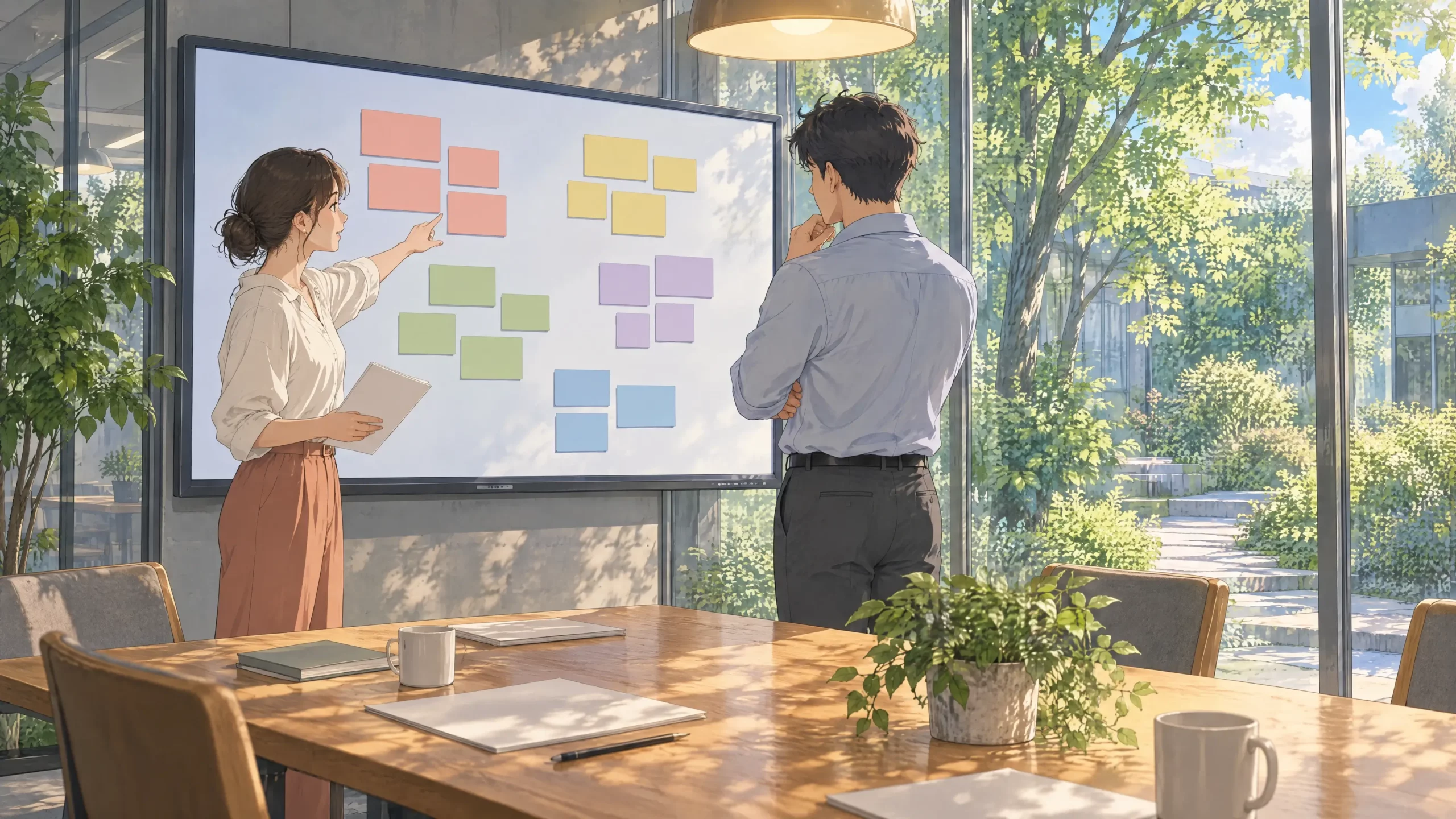
A visual workspace lets location carry meaning. The left side can hold ideas. The center can hold active work. The edge can hold references. A cluster can mean “this belongs together” before anything has a perfect label.
That is why spatial organization matters for digital work. It gives the brain another way to recognize the project.
This does not mean lists are bad. Lists are excellent for sequence. Calendars are excellent for time. Folders are excellent for storage.
But active work often needs shape.
A visual workspace app gives tasks, notes, files, links, and decisions a shared surface. Instead of asking every item to fit a single hierarchy, it lets related things stay close while the work is still changing.
For people who think visually, that layout is what makes the work usable.
A Simple Workspace App Setup
You do not need a complicated system to start.
Pick one active project.
Create one visible workspace for it. Add only the materials that help you move the project forward:
- the main draft or document
- the current task list
- the key files
- the decision notes
- the useful links
- one area for loose ideas
- one area for done or parked items
Keep the layout shallow. Do not make twelve nested zones. If the workspace app starts to feel like architecture, it will become another thing to maintain.
Put the next action near the material it depends on. Put reference items off to the side. Keep old versions away from the active center. Leave a little empty space so new thoughts have somewhere to land.
Then use the workspace for a week.
At the end of the week, ask one question: did this make it easier to return?
If yes, repeat the shape for another project. If no, remove complexity. Skip the perfect personal operating system. Aim for a workspace that makes tomorrow’s work easier to re-enter.
Where Opal Fits
Opal is built around the idea that digital work should feel more like a place.
You can arrange notes, files, links, tasks, documents, and project material on a visual surface. You can keep active work visible instead of forcing everything into hidden folders or separate apps. You can group related items spatially, then return later and understand the project by looking at it.

That is the practical difference between storing work and working in a place.
For freelancers, solopreneurs, and small teams, Opal doesn’t have to replace every app. It gives active work somewhere to gather.
If your current system makes you search before you can start, setup your desk today and keep the work in sight.
Key Takeaways
- A workspace app should keep active work together, not just store items.
- The best test is re-entry: can you return tomorrow and see what matters?
- Tasks, notes, files, links, and decisions are stronger when they stay close.
- App sprawl turns work into context reconstruction.
- A visual workspace helps recognition do some of the work that search cannot.
FAQ
What is a workspace app?
A workspace app is software that gives active work a shared place to live. It usually brings together tasks, notes, files, links, documents, and project context. The best workspace app makes it easier to return to work after interruption.
What is the difference between a workspace app and a productivity app?
A productivity app may focus on one job, such as tasks, notes, calendars, or documents. A workspace app focuses on the surface where those things come together. It is less about one feature and more about keeping the project understandable.
What should a workspace app include?
A workspace app should include fast capture, project context, tasks, notes, files, links, and some way to separate active work from archived work. It should also make review simple. The goal is to keep the workspace useful without constant maintenance.
Is a workspace app the same as project management software?
Not exactly. Project management software usually tracks work status, owners, dates, and dependencies. A workspace app can support project management, but it also holds the surrounding context: files, notes, references, ideas, and decisions.
Why do workspace apps fail?
Workspace apps fail when they become another place to maintain instead of a place to work. Too much setup, too many fields, hidden views, and scattered integrations can recreate the same problem they were supposed to solve. The app should reduce context rebuilding.
Is an all-in-one workspace better than separate tools?
Not always. Separate tools can be better when each has a clear job. The problem appears when no place shows how the pieces connect. A good workspace app can sit above the tool stack and keep active context visible.
Can a visual workspace app help with context switching?
Yes, if it keeps the relevant materials close together. Context switching is harder when every return requires a search. A visual workspace can show the project state at a glance, which helps you resume with less friction.
How do I set up a workspace app?
Start with one project. Add the current task list, key files, notes, links, and decisions. Place related items near each other, keep archived items out of the active center, and review the workspace weekly.
What is the best workspace app?
The best workspace app is the one that helps you return to work fastest. For some teams, that means a structured project hub. For visual thinkers, founders, and people managing mixed materials, it often means a visual workspace where related work can sit together.
How does Opal work as a workspace app?
Opal gives active work a visual surface. You can place notes, files, links, tasks, and documents near each other, then return later and recognize the project by its layout. That makes Opal useful when the problem is not only storage, but re-entry.
Setup your desk today