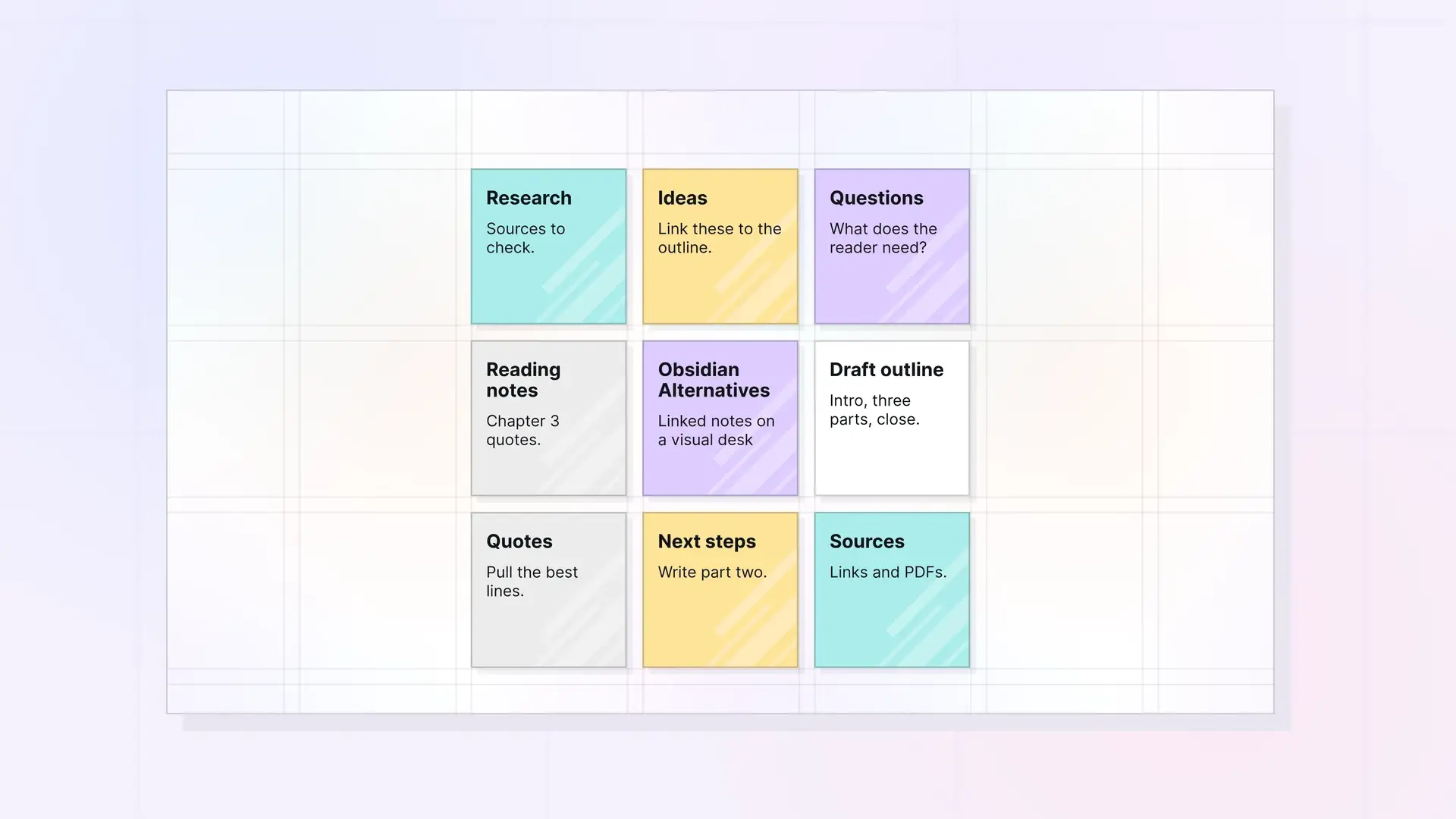
Keep the linked notes you like, and make the visual canvas the place you work every day.
You chose Obsidian because you wanted your notes connected. Then the vault grew, the plugin list grew, and the ideas you care about ended up three folders deep. This guide compares six Obsidian alternatives for people who want to keep their links and see their work again. We make Opal, so it’s listed first, and we say where it falls short.
Obsidian Alternatives at a Glance
| Tool | Best for | Starting price | Key difference | Review |
|---|---|---|---|---|
| Opal | Visual thinkers who want the canvas as home base | $9/seat/month ($7/month yearly) | Notes, docs, files, and tasks on an infinite canvas, linked with wikilinks | Jump to Opal |
| Logseq | Daily journaling in an outliner | Free for personal use | Open-source outliner with local files | Jump to Logseq |
| Heptabase | Research on visual whiteboards | $8.99/month billed yearly | Whiteboards, PDF highlights, and an AI agent | Jump to Heptabase |
| Capacities | Notes organized as typed objects | Free; Pro $9.99/month billed yearly | Custom object types such as books, people, and meetings | Jump to Capacities |
| Anytype | Private, encrypted notes | Free; Plus $4/month billed yearly | Encrypted, offline-first workspace you can share | Jump to Anytype |
| Notion | Team wikis and databases | Free; Plus $10/seat/month billed yearly | Pages plus databases in the cloud | Jump to Notion |
Prices checked October 2026 on each tool’s own pricing page. Plans and prices change, so check before you buy.
1. Opal: Best for a Visual Desk With Linked Notes
Opal is a visual workspace where notes, documents, links, files, and tasks sit on an infinite canvas. In Obsidian, Canvas is a core plugin that saves each board as a separate file. In Opal, the canvas is where you land every time you open the app, and every note lives on it.
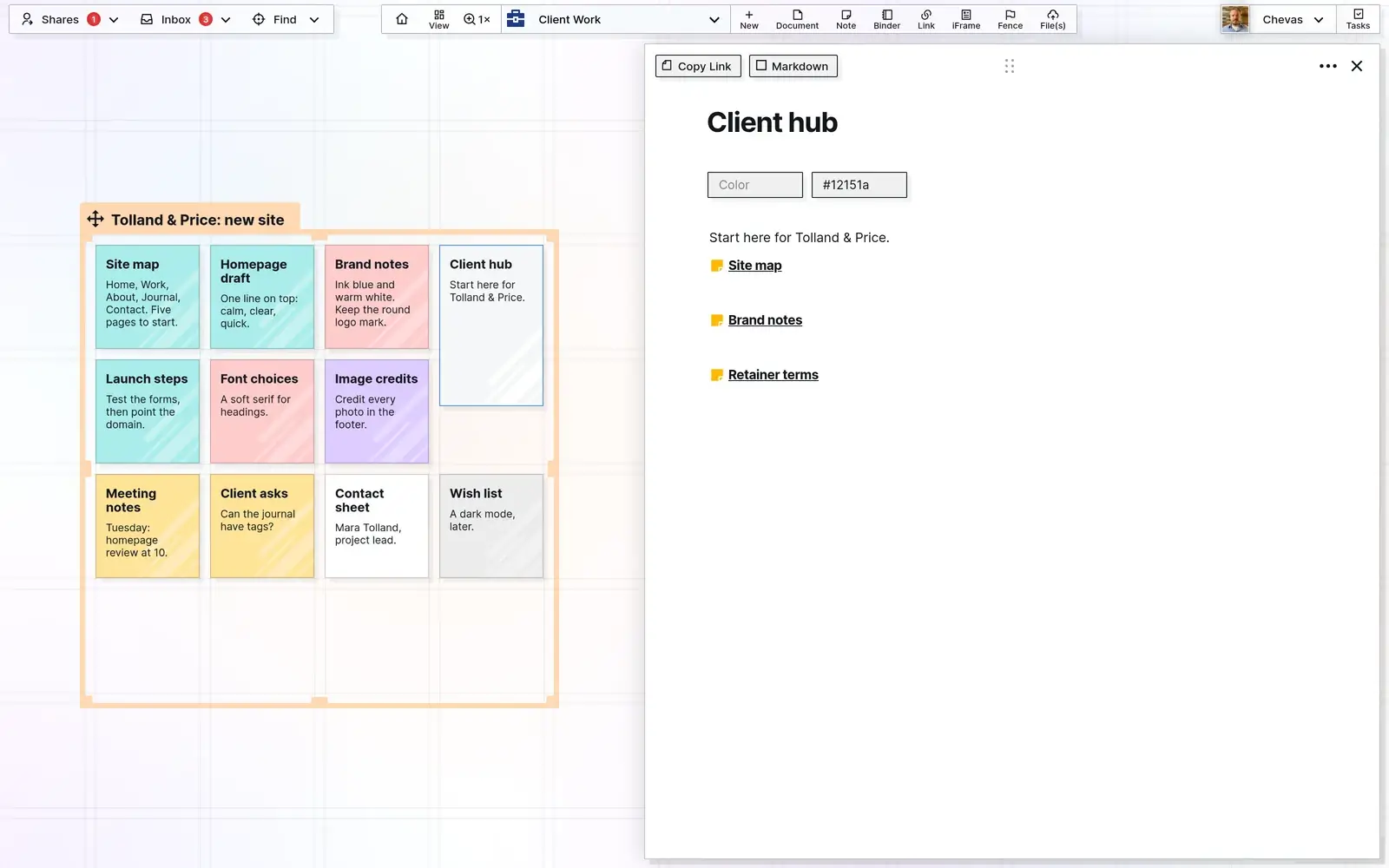
What carries over from Obsidian, and what’s different, based on the Opal features page:
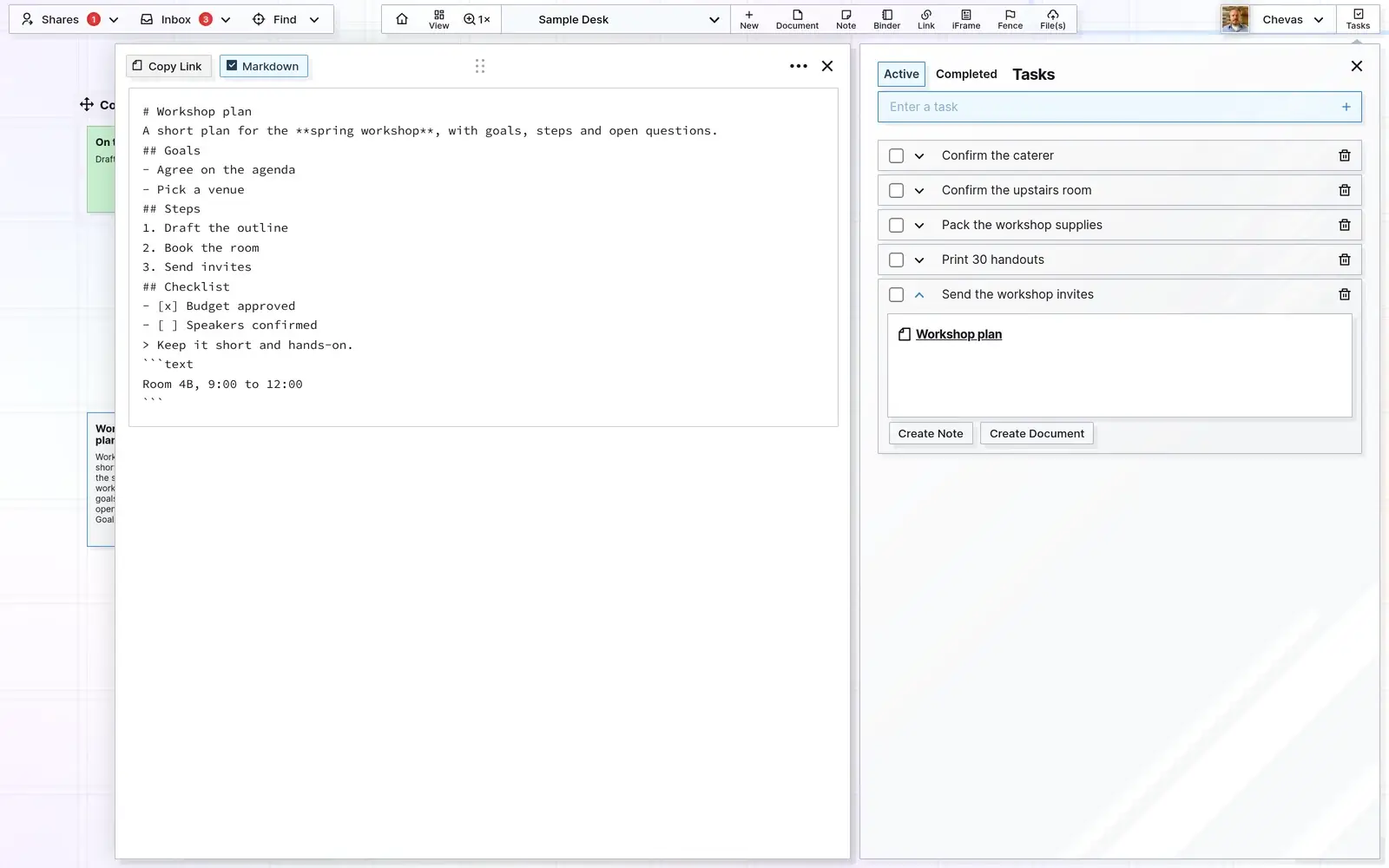
- Wikilinks between notes and docs. You keep the linking habit. Tasks on the task panel link to items the same way.
- Markdown. Write in a block editor or in Markdown mode. Import an .md file to replace or append a doc, and export items as Markdown, HTML, or PDF.
- Fences and binders in place of folders. Draw resizable fences around related items and move the group together. Binders hold finished or repeating material out of the way.
- Multiple desks and colors to separate big areas of work and make categories visible at a glance.
- Files and PDFs on the desk. Drag files and images in and read PDFs where they sit. Live Google Docs and Sheets can sit beside your notes in an iframe.
- Many pages open at once in one browser tab, with search that pans you to the item it finds.
- A REST API and an agent skill so AI agents and other apps can read and write your content with read-only or full-access keys (Workshop plan).
Recognition comes with more cues than recall, as the Nielsen Norman Group explains. A note you can see beside its project is a note you recognize. A note buried in a vault folder has to be recalled by name.
Pricing: Day Desk is $9 per seat per month, or $7 a month billed yearly (1 workspace, up to 250 items). Studio is $27, or $21 yearly (3 workspaces, up to 1,000 items). Workshop is $47, or $37 yearly (7 workspaces, up to 5,000 items, plus API access). Full details are on the Opal pricing page. Try Opal with one project before you move anything else.
Why People Choose Opal
Having the big holistic view of the project is the most important thing for me. Opal let me structure a lot of information in a way that makes it convenient without the cognitive overload. And there was no learning curve.
Anna Zhikhareva, Freelance Experience Designer, AZX Design
Other tools feel like just another app. Opal feels like my real work.
Kyle Anderson, Owner, Banner Consulting
It nails the one, must-have thing I need. Shared binders are a game changer.
Peter Schmitt, Owner, Durango Renovations
What You Give Up With Opal
Be clear on these before you switch:
- Browser only. Opal runs in the browser. Native apps for iOS, Android, Windows, and Mac are on the roadmap.
- No Obsidian importer. There’s no vault import. Import your Markdown notes one doc at a time, or copy them in, then rebuild the links that matter.
- It’s paid. Opal has no free plan and no free trial. Plans start at $9 per seat per month ($7 yearly), while the Obsidian app is free.
- A younger product. Opal is still in beta and has no plugin ecosystem.
- No local files or offline mode. Your notes live in your Opal account, not as files in a folder on your drive, and you need a connection to work.
Opal vs Obsidian
| Obsidian | Opal | |
|---|---|---|
| Main view | File list and editor tabs; Canvas is a separate board | An infinite canvas, with multiple desks |
| Where notes live | Markdown files in a vault on your device | In your Opal account, opened in the browser |
| Linking | Wikilinks, backlinks, and a graph view | Wikilinks between notes, docs, and tasks |
| Integrations | A large community plugin ecosystem | Live Google Docs and Sheets, CRUSH voice notes, and a REST API on Workshop |
| Import | Markdown files open as they are; an importer plugin handles other formats | Markdown and text files, one doc at a time; no vault importer |
| Export | Your notes are already plain Markdown files | Items as Markdown, HTML, or PDF, and Export Everything as a zip |
| Apps and offline | Desktop and mobile apps, works offline | Browser only, needs a connection |
| Price | Free app; Sync $4/month and Publish $8/site/month, billed yearly | From $9/seat/month, or $7/month billed yearly |
| Free plan | Yes, the app is free | No free plan or free trial |
You Gain
- A canvas that is home base, with no plugin to install and no board file to remember.
- Notes, PDFs, links, and tasks visible side by side, so the context comes back when you look.
- Fences, binders, and desks in place of a folder tree.
- Sharing and publishing built in, with permissions per item, binder, or fence.
You Give Up
- Local files, offline work, and native apps.
- Plugins and a graph view.
- A free app.
How to Move From Obsidian to Opal
- Start with one active project. Pick the project you open most this week rather than the whole vault.
- Import its Markdown notes into Opal documents and place them on a desk.
- Draw a fence around them and drop in the PDFs and links that project uses.
- Rebuild the links that matter with wikilinks between the brief, the notes, and any tasks.
- Work there for a week. Keep the vault untouched as your archive. If you find things faster by seeing them, move the next project.
Other Obsidian Alternatives Worth Considering
How we compared: we looked at each Obsidian alternative’s published features and its own pricing page, checked in October 2026. We didn’t run a timed hands-on test, so treat this as a guide to fit rather than a benchmark. Each review says when that tool is a better pick than Opal.

2. Logseq: Best for Daily Journaling in an Outliner
Best for: people who think in bullet points and like starting each day on a journal page.
Strengths: free for personal use and open source, notes stored locally, more than 150 plugins and more than 30 themes, and mobile apps. It handles links and backlinks much like Obsidian.
Weaknesses: everything is an outline, which doesn’t suit every kind of writing, and Logseq Sync is still labeled beta.
Price: free for personal use.
When it beats Opal: you want local, open-source notes at no cost, or you prefer writing in outlines.
3. Heptabase: Best for Research on Whiteboards
Best for: students and researchers who map out what they read.
Strengths: unlimited notes, whiteboards, and tags; PDF highlights and YouTube transcripts; and an AI agent with monthly credits. It is the closest tool here to Opal’s visual idea.
Weaknesses: the pricing page lists paid plans only, and the AI features are tied to credit allowances that vary by plan.
Price: Pro is $8.99 per month billed yearly; Premium is $17.99 and Premium+ is $53.99 per month billed yearly.
When it beats Opal: your work is reading and synthesizing sources, and you want PDF highlights and AI help in the same tool.
4. Capacities: Best for Notes as Typed Objects
Best for: people who want structure without building databases by hand.
Strengths: a free Basic plan with unlimited spaces, objects, and blocks; custom object types such as books, people, or meetings; sync across devices; and offline support. Pro adds an AI assistant, task management, and smart queries.
Weaknesses: you have to decide what type each note is, which some people find slows capture down. It isn’t a spatial canvas.
Price: Basic is free; Pro is $9.99 per month billed yearly.
When it beats Opal: you want a free plan with offline support, or you like organizing by type more than by place.

5. Anytype: Best for Private, Encrypted Notes
Best for: people who put privacy first and still want to share some spaces with others.
Strengths: an encrypted, offline-first workspace, a free plan, shared and private channels, and the option to self-host your own network.
Weaknesses: the free plan includes 100 MB of remote storage, and its objects and types take some learning.
Price: free; Plus is $4 per month and Pro $8 per month, billed yearly.
When it beats Opal: privacy and offline work matter most, or you want a free plan.
6. Notion: Best for Team Wikis and Databases
Best for: teams that want a shared wiki, docs, and project tracking in one place.
Strengths: pages and databases with custom properties, a free plan with unlimited pages and blocks for individuals, and built-in forms, sites, and a calendar.
Weaknesses: it lives in the cloud rather than in local files, and databases take setup. It’s a big change from a Markdown vault.
Price: free for individuals; Plus is $10 per seat per month billed yearly; Business is $20.
When it beats Opal: you need structured databases and a team wiki. Our simple Notion alternative guide explains when Notion is more than you need.
When Obsidian Is Still the Right Choice
Stay with Obsidian if you want every note stored as a local file on your own drive, if you work offline often, or if you depend on community plugins that have no equivalent elsewhere. It’s also the right pick if designing your own system is part of the fun.
Plenty of people use Obsidian and an Obsidian alternative side by side. A local vault can hold long-term reference writing while a visual desk holds the projects in motion. For background on why that works, read about personal knowledge management for visual thinkers.
Obsidian Alternative FAQ
How much does Opal cost?
Opal’s Day Desk plan is $9 per seat per month, or $7 a month billed yearly. Studio is $27 ($21 yearly) and Workshop is $47 ($37 yearly). Workshop is the plan with API access.
Does Opal have a free plan or free trial?
No. Opal has no free plan and no free trial. The Obsidian app is free, and Logseq, Capacities, Anytype, and Notion all have free plans, so start there if cost is the deciding factor.
Can I bring my Obsidian notes into Opal?
Yes, one note at a time. Opal imports Markdown files to create or update docs, but it has no vault importer, so wikilinks need rebuilding. Moving one project at a time is the practical approach.
What does Opal integrate with?
Opal embeds live Google Docs and Sheets, receives AI-transcribed voice notes from a CRUSH device, and has a REST API plus an agent skill for AI tools on the Workshop plan. It has no plugin ecosystem like Obsidian’s.
Can I use Opal on my phone?
Opal runs in the browser, so it opens on a phone in a compact layout. There are no native iPhone or Android apps yet; they’re on the roadmap. Obsidian’s mobile apps are the better choice for phone-first use.
Does Opal work offline like Obsidian?
No. Opal runs in the browser and stores your content in your Opal account. Obsidian keeps notes as local files and works offline, which is a real advantage if you need it.
Is Obsidian Canvas the same as Opal’s canvas?
They’re similar ideas. Obsidian Canvas is a core plugin that creates separate board files next to your notes. In Opal, the canvas is the main workspace, with fences, binders, and multiple desks built in.
Which Obsidian Alternative Is Right for You?
- You want your linked notes laid out where you can see them: Opal.
- You want free, local, open-source notes in outlines: Logseq.
- You research from PDFs and videos: Heptabase.
- You like structure by type, with a free plan: Capacities.
- Privacy and offline work come first: Anytype.
- Your team needs a wiki and databases: Notion.
If the first line sounds like you, test Opal as your Obsidian alternative with one project. A second brain that works in five minutes is the goal, not a weekend migration.
Try Opal