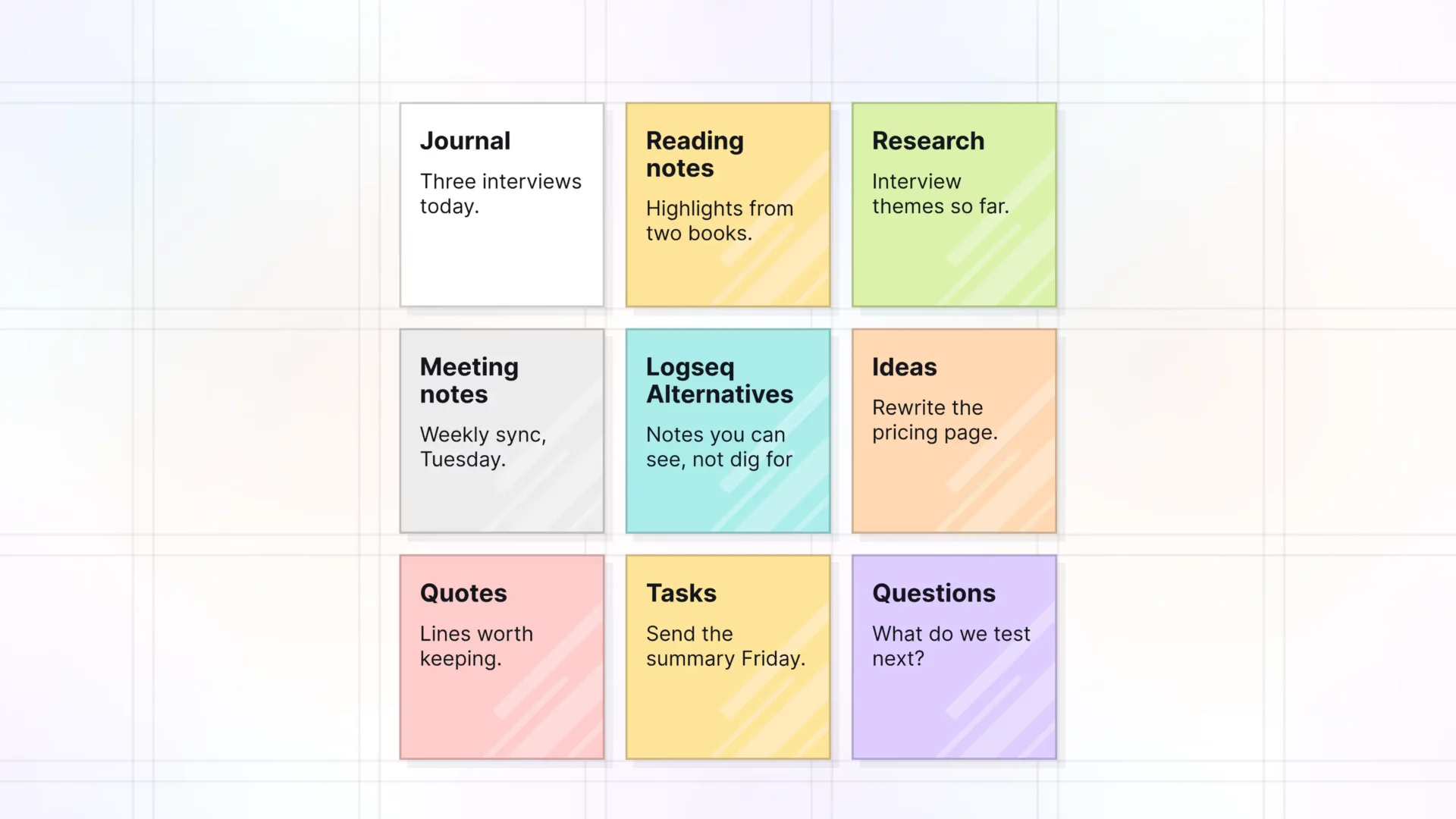
“I write everything in the journal. Then I can’t find it.” Here are six tools that handle that better, and one honest case for staying.
You open Logseq, scroll back through weeks of daily pages, and the note you need is in there somewhere. Maybe the split into Logseq OG and the new database version has you wondering what to move to. This guide compares six Logseq alternatives, from local Markdown apps to outliners to visual desks. We make Opal, so it’s listed first, and we say where it falls short.
Logseq Alternatives at a Glance
| Tool | Best for | Starting price | Key difference | Review |
|---|---|---|---|---|
| Opal | Seeing notes, docs, and files laid out on one desk | $9/seat/month ($7/month yearly) | An infinite canvas of real notes and docs, grouped in fences | Jump to Opal |
| Obsidian | Local Markdown files with plugins | Free; Sync from $4/user/month billed yearly | Your notes stay as plain files on your device | Jump to Obsidian |
| Roam Research | Outlining with block references | $15/month or $165/year | The original networked outliner, with a 31-day trial | Jump to Roam |
| Tana | Meeting notes and AI in an outliner | Free (5 meetings a month); Pro early bird $20/user/month | Built around meetings, AI, and integrations | Jump to Tana |
| Anytype | Private, local-first notes | Free (100 MB remote storage); Plus $4/month | Encrypted, peer-to-peer sync | Jump to Anytype |
| Heptabase | Mapping research on whiteboards | Pro $8.99/month billed yearly | Notes you arrange and connect on whiteboards | Jump to Heptabase |
Prices checked October 2026 on each tool’s own pricing page. Plans and prices change, so check before you buy.
Why People Are Looking for a Logseq Alternative
Two things are going on.
The first is the split. In April 2026, the Logseq team announced that the app would become two products. Logseq OG keeps the file-based Markdown version you probably use today, but it’s in maintenance mode: security fixes and Electron updates, no new features. The new Logseq runs on database graphs and is the main version going forward. In July 2026, its beta and sync opened to Open Collective backers ($5 a month) and sponsors ($15 a month). If you rely on plain files, or you don’t want to pay to test a beta, that’s a reason to look around.
The second is older. A daily journal is easy to write in and hard to find things in. Notes go in by date, and you’re expected to remember the page, the tag, or the query that brings them back. Recognition is easier than recall because it involves more cues, as the Nielsen Norman Group explains. A note you can see beats a note you have to remember to search for.
And the hunt adds up. Workers in one Harvard Business Review study toggled between apps and websites roughly 1,200 times each day. That came to just under four hours a week reorienting, about 9% of their time at work.
1. Opal: Best for Seeing Your Notes Instead of Searching for Them
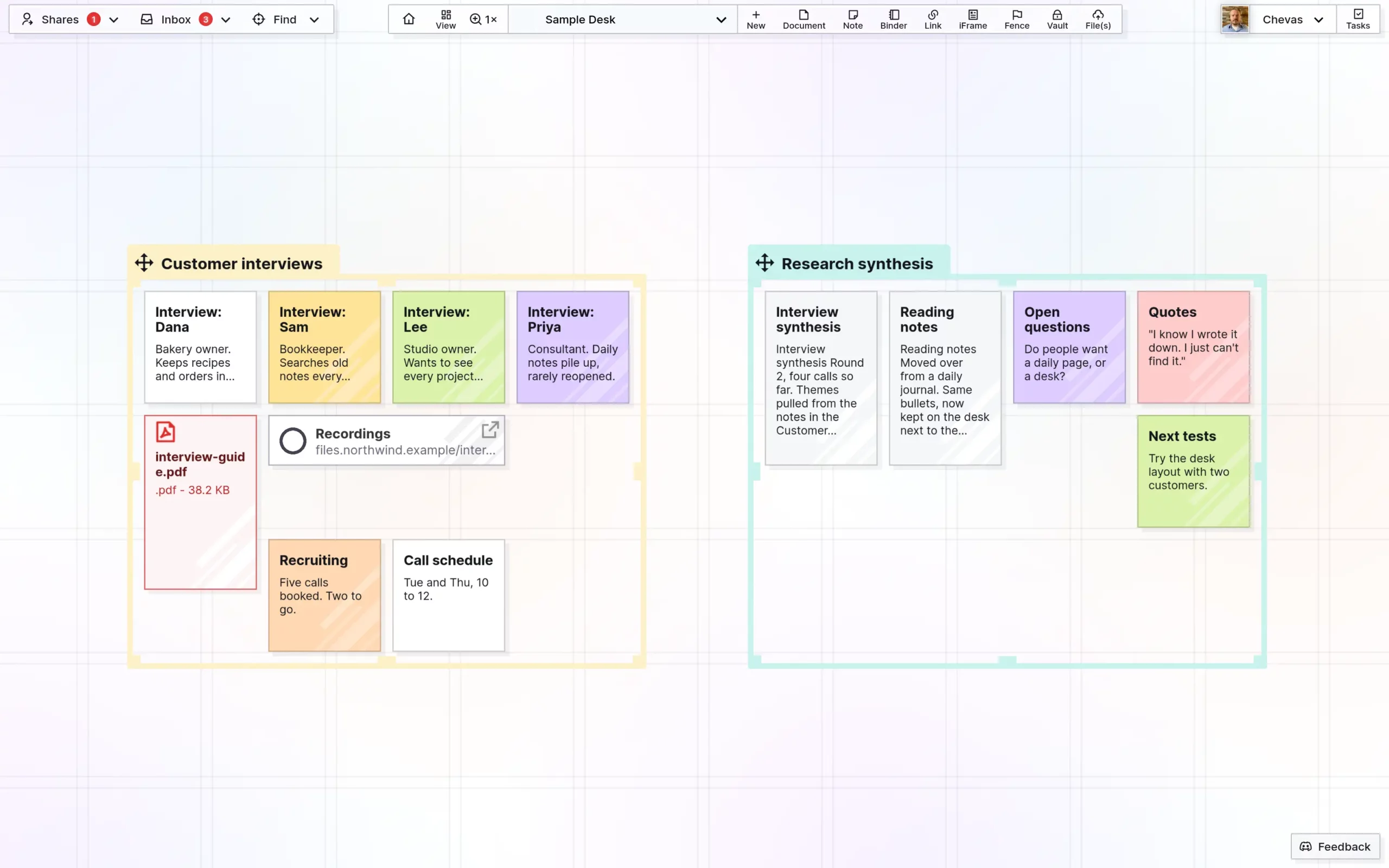
Opal is a visual workspace. Notes, documents, links, files, and tasks sit on an infinite canvas, and you arrange them where you’ll see them. Each item is a full note or document you can open, edit, and link.
What you get, based on the Opal features page:
- An infinite canvas with multiple desks. Lay work out by project, zoom out to see all of it, and keep separate desks for separate areas of your life.
- Fences to group related items. Draw a fence around a project’s notes, docs, and files, then move the group together. Colors make categories easy to spot.
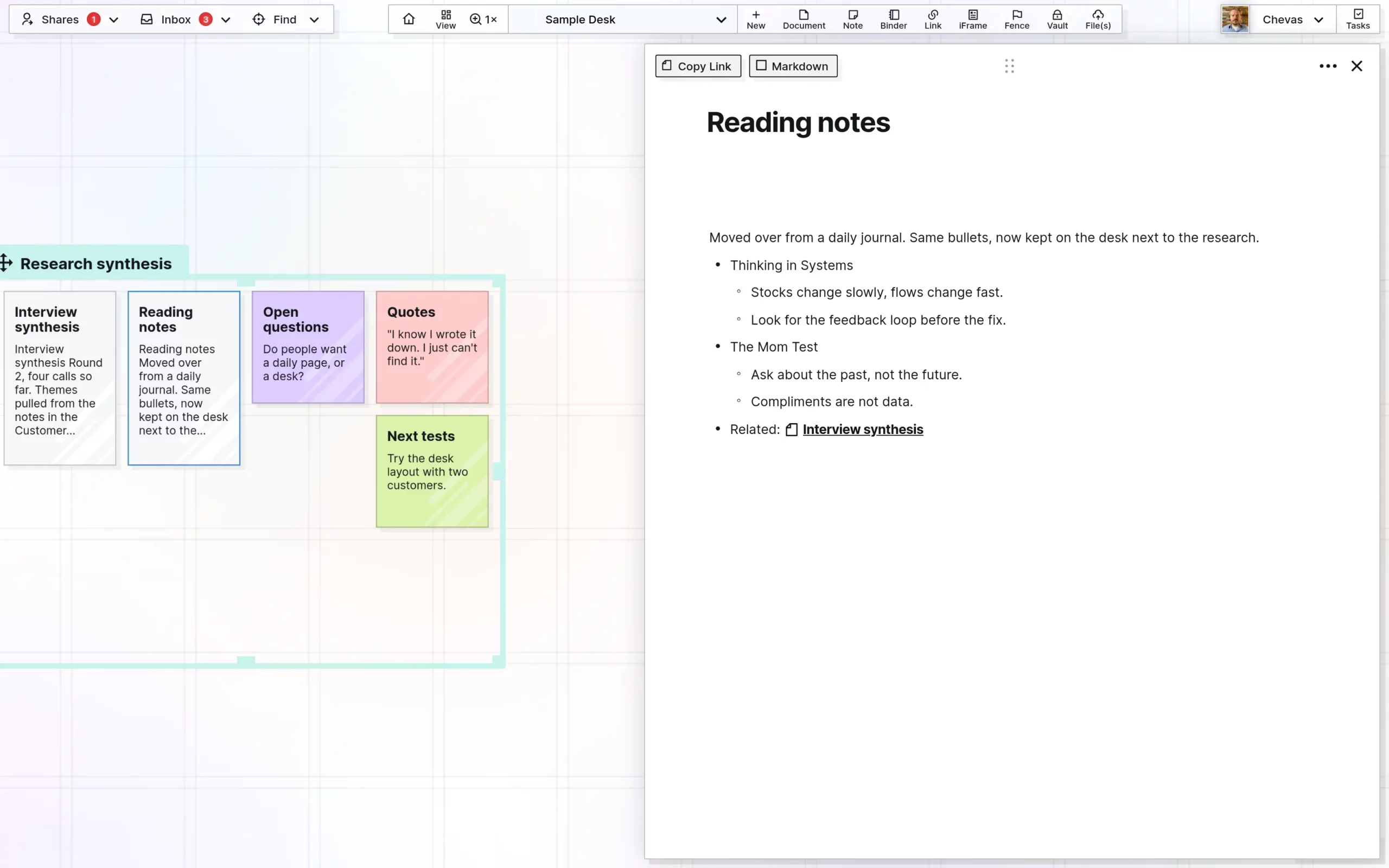
- Notes and documents with wikilinks. Write in a block editor or in Markdown mode, and link notes, docs, and tasks to each other.
- Files and PDFs in place. Drop files onto the desk, read PDFs where they sit, and embed live Google Docs and Sheets.
- Linked tasks on a task panel, so a to-do points back to the note it came from.
- Markdown in and out. Import .md files as docs. Export items as Markdown, HTML, or PDF, or use Export Everything for a zip of your workspaces.
- Sharing and publishing. Share a note, doc, fence, or binder, or publish an item as a read-only page.
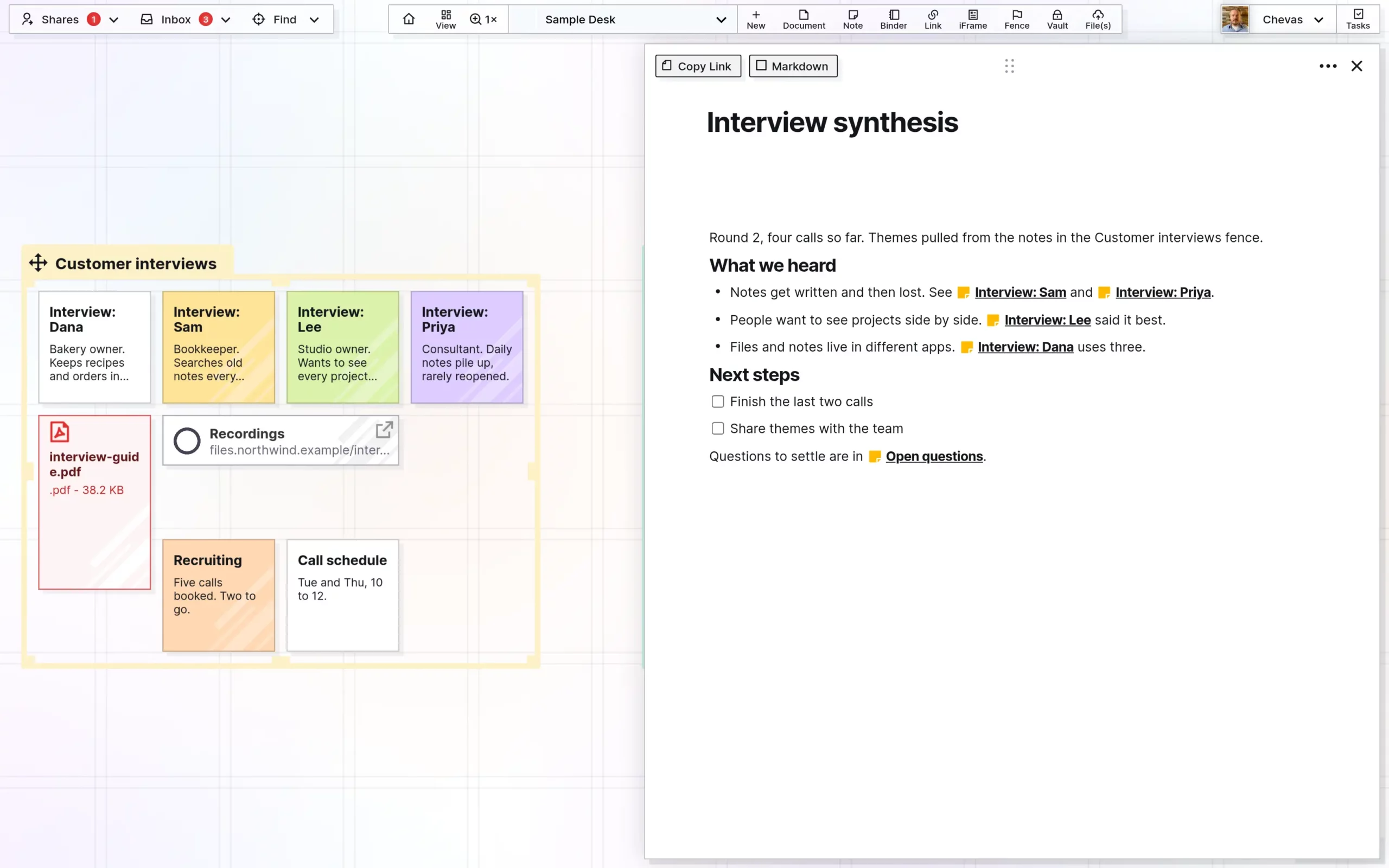
Here’s the difference in practice. In Logseq, four interview notes land on four daily pages. In Opal, they sit inside one fence, next to the interview guide PDF and the synthesis doc that links to each of them. You don’t search for the project. You look at it.
Pricing: Day Desk is $9 per seat per month, or $7 a month billed yearly (1 workspace, up to 250 items). Studio is $27, or $21 yearly (3 workspaces, up to 1,000 items). Workshop is $47, or $37 yearly (7 workspaces, up to 5,000 items, plus API access). Details are on the Opal pricing page.
Why People Choose Opal
Having the big holistic view of the project is the most important thing for me. Opal let me structure a lot of information in a way that makes it convenient without the cognitive overload. And there was no learning curve.
Anna Zhikhareva, Freelance Experience Designer, AZX Design
It nails the one, must-have thing I need. Shared binders are a game changer.
Peter Schmitt, Owner, Durango Renovations
You made something that actually connects to my brain in a way that says ‘I know where to put that thought.’ My brain already knows where it is and I gravitate to it.
Matt Hert, Insurance Agency Owner, Hert Agency
What You Give Up With Opal
Be clear on these before you switch:
- It’s not an outliner. Opal has no block references, no daily journal page, and no graph view. Docs support nested bullets, but the outline isn’t the whole app.
- Your notes live in the cloud. Opal doesn’t store notes as local Markdown files on your device. You can export to Markdown any time.
- No Logseq importer. Import Logseq pages as Markdown files or paste them in. Logseq-specific syntax, like block references, won’t carry over.
- Browser only. Native apps for iOS, Android, Windows, and Mac are on the roadmap.
- It’s paid. Opal has no free plan or trial. Plans start at $9 per seat per month ($7 yearly).
- A younger product. Opal is still in beta.
Opal vs Logseq
| Logseq | Opal | |
|---|---|---|
| Main view | A daily journal and outlined pages, with a graph view | An infinite canvas you work from daily, with multiple desks |
| Integrations | Plugins and themes from the community | Live Google Docs and Sheets, CRUSH voice notes, REST API on Workshop |
| Import | Markdown, plus Roam JSON and OPML importers | Markdown files as docs, or paste; no Logseq importer |
| Export | Logseq OG pages are Markdown files on disk | Markdown, HTML, or PDF per item; Export Everything as a zip |
| Apps | Desktop and mobile apps | Browser only; native apps on the roadmap |
| Price | Open source; DB beta and sync for Open Collective backers from $5/month | From $9/seat/month ($7 yearly) |
| Free plan | Yes, the app is free | No free plan or trial |
You gain: a desk where projects stay visible. Notes, docs, PDFs, and links for one project sit together, and wikilinks connect them.
You give up: the outliner, block references, the daily journal, and local files. If you think in nested bullets all day, that’s a real loss.
How to move over: pick one active project, not your whole graph. Find its pages in your Logseq folder, import them into Opal as Markdown docs, and put them in a fence with the files that go with them. Open the project from that desk for a week before you move the next one.
How We Compared
We looked at what Logseq users care about most: local files, outlining, linking, privacy, price, and how easy it is to find a note later. Prices and plan limits come from each tool’s own pricing page, checked in October 2026. Feature notes come from each company’s public pages. We didn’t run timed tests, so there are no speed scores here.
2. Obsidian: Best for Local Markdown Files
Label: the closest Logseq alternative if you care about plain files.
Best for: people who want their notes as Markdown on their own device.
Strengths: Obsidian is free with no sign-up. Notes are files in a folder you control. A large plugin community fills most gaps, and the paid Sync adds end-to-end encryption and version history.
Weaknesses: it’s a page editor, not an outliner, so the Logseq bullet workflow takes plugins to recreate. Setup can turn into a hobby. Our Obsidian alternative guide covers who outgrows it.
Price: free. Sync is $4 per user per month billed yearly ($5 monthly). Publish is $8 per site per month billed yearly ($10 monthly). An optional Commercial license is $50 per user per year.
When it beats Opal: you want local files, offline use, and no subscription.
3. Roam Research: Best for Block-Based Outlining
Label: the networked outliner many Logseq users know already.
Best for: researchers and writers who think in nested blocks and backlinks.
Strengths: daily notes, block references, and bidirectional links, in a tool Roam describes as “a note-taking tool for networked thought.” Pro includes unlimited graphs, unlimited collaborators, and API access.
Weaknesses: it’s cloud-based and paid, with no free plan. Roam’s own pitch is research “for the long haul,” which means the same journal-and-search habit as Logseq.
Price: Pro is $15 per month or $165 per year, with a 31-day trial if you’ve never had a plan. Believer is $500 for five years.
When it beats Opal: you want the Logseq outliner workflow, in the cloud, without switching to a canvas.
4. Tana: Best for Meeting Notes in an Outliner
Label: an outliner rebuilt around meetings and AI.
Best for: people whose notes mostly come from calls.
Strengths: AI transcripts and summaries, a botless meeting agent for Zoom, Teams, and Google Meet, and integrations with tools like HubSpot, Jira, Linear, and GitHub. Tana says your data stays exportable if you cancel.
Weaknesses: the product now leans hard toward meetings. If you used Logseq as a quiet personal notebook, much of the plan is AI you may not use.
Price: Free covers 5 hosted meetings a month and 50 AI queries. Pro is an early bird $20 per user per month (regular $30), with a 30-day trial. Business starts at $35 per user per month.
When it beats Opal: your work runs on meetings and you want notes written for you.
5. Anytype: Best for Private, Local-First Notes
Label: the privacy pick.
Best for: people who chose Logseq because it was private and local.
Strengths: local-first storage, end-to-end encryption, and peer-to-peer sync. You can self-host your own network without a membership.
Weaknesses: it has its own model of objects and types to learn, and the free plan’s remote storage is small.
Price: free with 100 MB of remote storage and 10 shared channels. Plus is $4 per month (1 GB), Pro $8 (10 GB), and Ultra $16 (100 GB).
When it beats Opal: privacy and local data matter more to you than a visual layout.
6. Heptabase: Best for Mapping Research on Whiteboards
Label: a visual research tool for learners.
Best for: students and researchers who want to lay out sources and ideas spatially.
Strengths: unlimited notes, whiteboards, and tags on Pro, plus PDF highlights and YouTube transcripts. Apps for Mac, Windows, Linux, iOS, and Android.
Weaknesses: no free plan is listed, and the higher tiers are priced around AI credits.
Price: Pro is $8.99 per month, Premium $17.99, and Premium+ $53.99, shown with yearly billing (save 25%).
When it beats Opal: you want native apps today, or your work is mostly reading and annotating sources.
When Logseq Is Still the Right Choice
Stay with Logseq if the outliner is how you think. Block references, the daily journal, queries, and built-in flashcards are hard to replace in one tool. It’s open source and free, and Logseq OG still keeps your notes as Markdown files you own. If maintenance mode doesn’t bother you, there’s no rush.
A lot of people keep the journal and add a desk for active projects. If that’s you, read how personal knowledge management for visual thinkers works, or how to set up a note-taking system you’ll actually reopen.
Logseq Alternatives FAQ
What is the best free Logseq alternative?
Obsidian is the closest free pick, because it also keeps notes as local Markdown files. Anytype and Tana have free plans with limits. Opal has no free plan.
Is Logseq being discontinued?
No. In 2026 it split in two. Logseq OG, the file-based version, is in maintenance mode with security and Electron updates but no new features. The new database version is the main product going forward.
How much does Opal cost?
Day Desk is $9 per seat per month, or $7 a month billed yearly. Studio is $27 ($21 yearly) and Workshop is $47 ($37 yearly). Workshop includes API access.
Does Opal have a free plan?
No. Opal is a paid product with no free plan or trial. If price decides it, start with Obsidian or Anytype.
Can I import my Logseq graph into Opal?
Not in one step. Opal has no Logseq importer, but it imports Markdown files as docs, and Logseq OG pages are Markdown files. Move one project at a time and check pages that use block references.
What does Opal integrate with?
Opal embeds live Google Docs and Sheets, receives voice notes from a CRUSH device, and has a REST API plus an agent skill for AI tools on the Workshop plan.
Can I use Opal on my phone?
Opal runs in the browser. There are no native iPhone, iPad, or Android apps yet. They’re on the roadmap.
Is Opal an outliner like Logseq?
No. Opal is a canvas. Docs support nested bullets and wikilinks, but there are no block references, daily journal, or graph view.
Which Tool Is Right for You?
See how Matt Hert keeps agency work findable on a desk — or browse more Opal case studies.
- You want projects laid out where you can see them, not buried in a journal: Opal.
- You want local Markdown files and plugins: Obsidian.
- You want the outliner, with block references, in the cloud: Roam Research.
- Your notes mostly come from meetings: Tana.
- Privacy and local-first storage come first: Anytype.
- You map research and sources visually: Heptabase.
Start with the problem that sent you looking. If it’s finding things, test Opal with one project and see whether you open that desk again tomorrow. Our second brain app guide shows a fast way to set one up, and the infinite canvas apps roundup compares other visual tools.
Set up your desk todayGuide: Why productivity apps keep failing you
Get the blueprint by email — same one from the lead magnet page. No spam.