

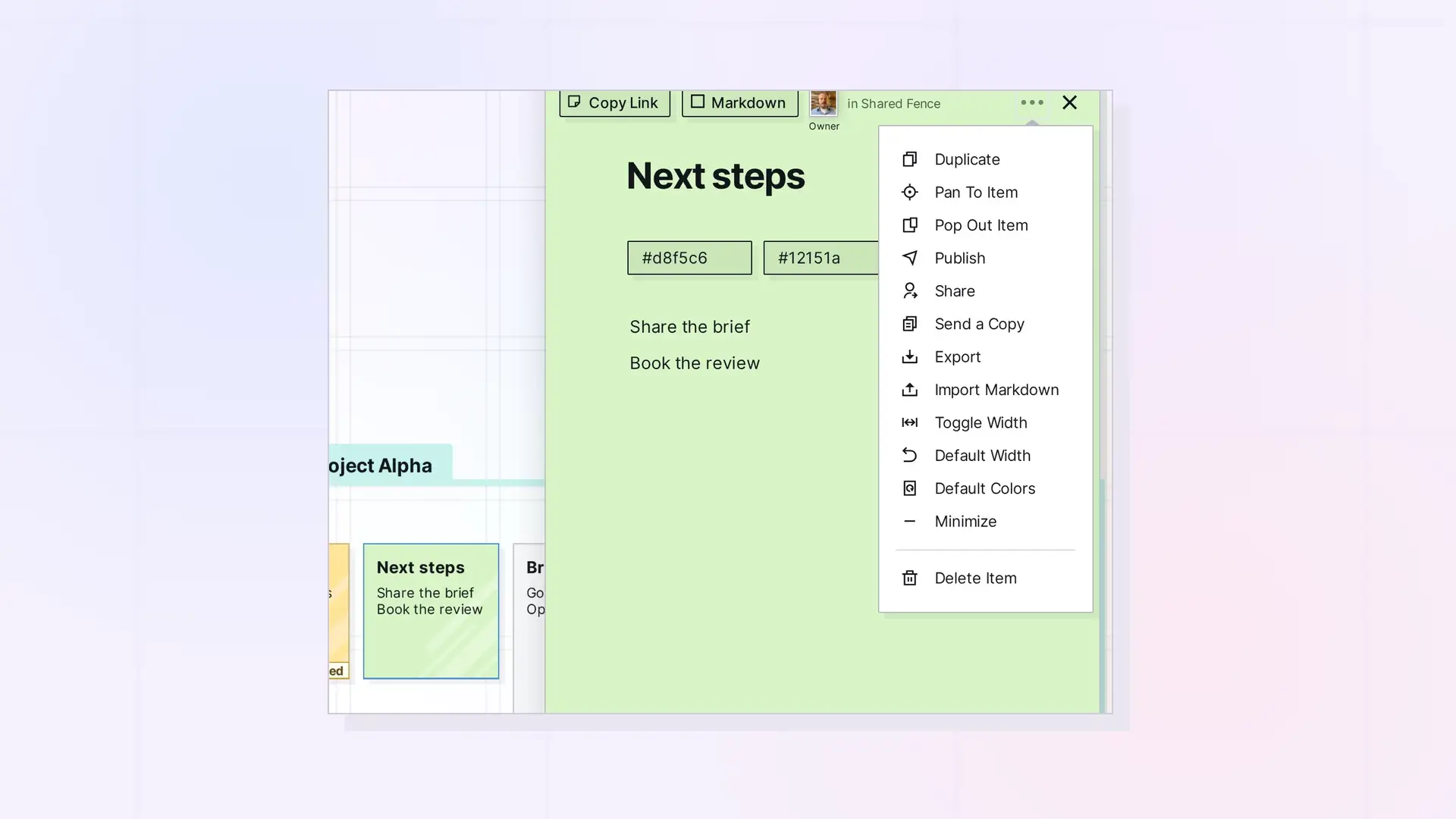
When you click an item in Opal, its page view opens in a panel on the right side of the screen. One item sits in that panel at a time: opening another item, for example by clicking an item link, replaces the one that was open. To keep an item in its own window, use Pop Out Item in the ••• menu. Pan To Item, in the same menu, takes you to an item’s spot on the grid.
Open an Item
Click an item on the workspace to open its page view. The page view has Copy Link and Markdown on the left of its header and the ••• (more options) menu and the X (close) button on the right.
Opening Another Item Replaces the First
The page view panel shows one item at a time. When you click an item link inside a document, the linked item replaces the one you had open in the same panel. Nothing opens beside it. To go back, open the first item again from the workspace. Item Links: Link Opal Items Together (Wikilinks) explains how item links work.
Pan To Item
Click the ••• menu in an item’s header and choose Pan To Item to pan the workspace to where that item sits on the grid. Use it when you have panned away from the item.
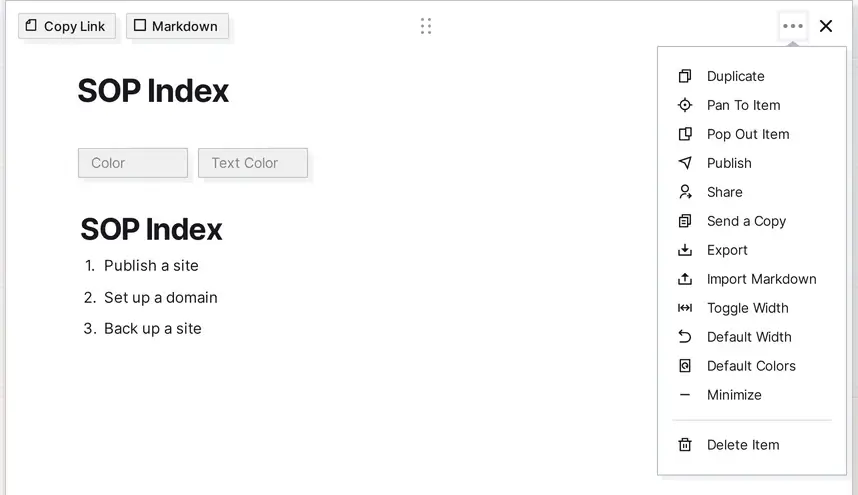
Pop Out an Item into Its Own Window
The ••• menu also has a Pop Out Item entry. It opens the item in its own browser window, with its own address bar, so you can move it away from your workspace tab.
Close an Item
Click the X at the top right of an item to close it. The Escape key does not close an item.
Small Screens
At phone width the toolbar shrinks to a single bar. Using Opal on a Phone or Tablet describes what the phone-width screen shows.
Next Steps
- Pan, zoom, and find items: How to Navigate Opal
- Link items together: Item Links: Link Opal Items Together (Wikilinks)
- Learn about documents: The Basics of Opal Documents
- Build side-by-side layouts inside a document: Advanced Layouts: Drag Blocks to Build Multi-Column Content
- Tour the toolbar and panels: Tour of the Opal Interface
FAQ
Can I have more than one item open at once?
The page view panel shows one item at a time, and opening another item replaces it. Pop Out Item in the ••• menu opens an item in its own browser window.
How do I close an open item?
Click the X at the top right of the item. The Escape key does not close it.
What does Pan To Item do?
It pans the workspace to where the item sits on the grid. Use it when you have panned away from the item.

