

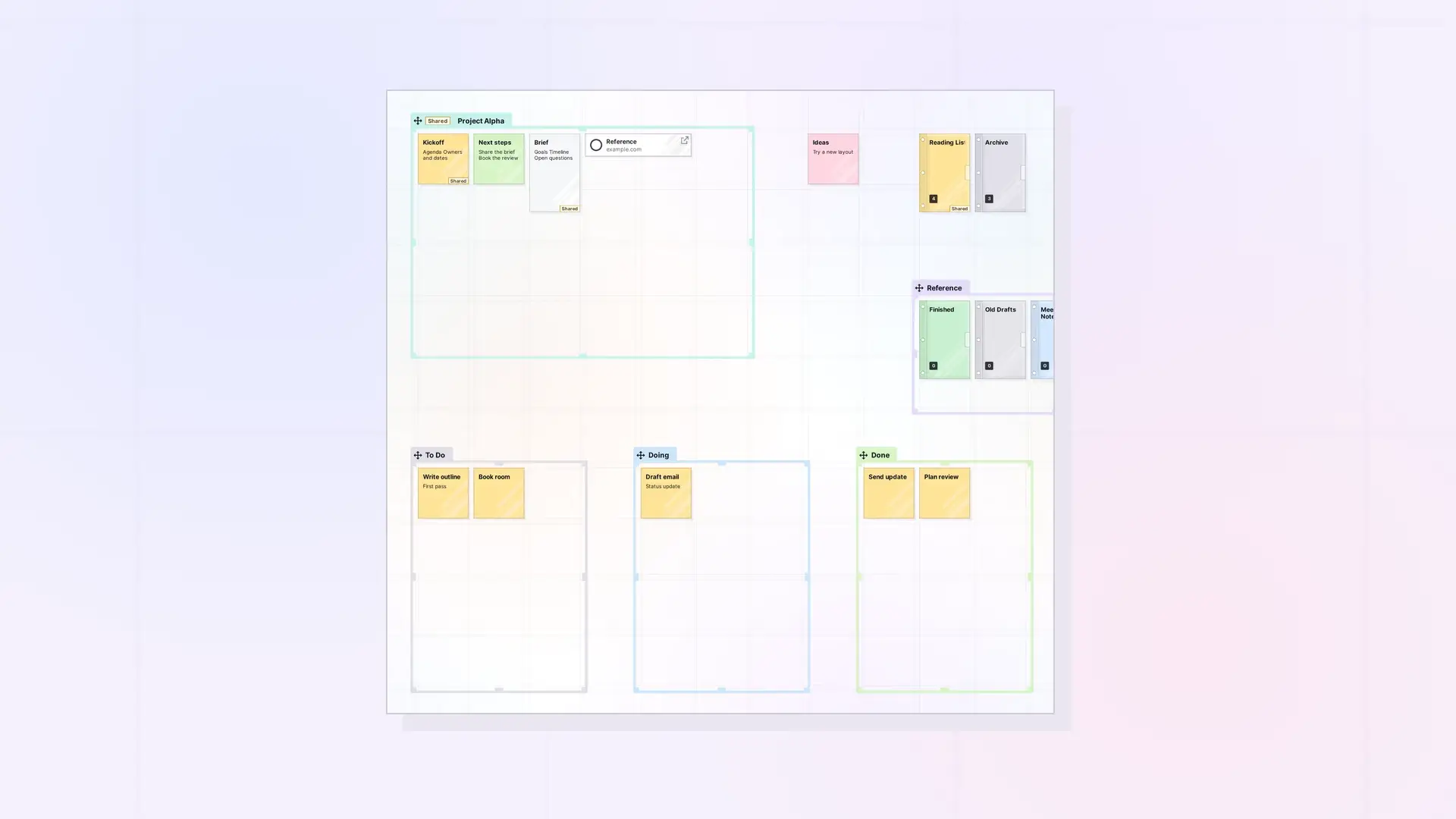
Fences work best as the rooms of your workspace. A few well-named zones turn a scattered desk into one you can read at a glance, zoomed out or up close. Here are layouts that work well, and how to combine fences with binders and workspaces.
Layout Ideas
- Kanban: three fences side by side named “To Do”, “Doing”, and “Done”. Drag items from one to the next as work moves along.
- Inbox and Archive: a “To sort” fence near your usual starting view, with themed fences around it, and binders for finished material.
- One fence per project: each project gets a fence holding its notes, documents, links, and files. Share a project fence with the people working on it.
- Reference shelf: a fence along one edge of the workspace for links, PDFs, and how-to documents you open often.
- Weekly plan: one fence per day of the week, in a row.
Fences, Binders, or Another Workspace?
- Use a fence when you want to see the items while you work.
- Use a binder when you want to tuck a group away as one compact item. See What Is a Binder?.
- Use another workspace when an area of your life deserves its own desk. See One Workspace or Many? How to Organize Your Opal Desks.
Tips
- Name fences with short, clear titles. The name is what you see when zoomed out.
- Use color to group related fences. See Rename and Color a Fence.
- Use Fence Focus to jump between zones. See Fence Focus: Jump to a Fence and Back.
Next Steps
FAQ
How many fences can a workspace have?
Fences are items, so they count toward your plan’s item limit like any other item.
Should I use one big fence for everything?
Usually not. Smaller fences with clear names are easier to scan, move, and share.

