

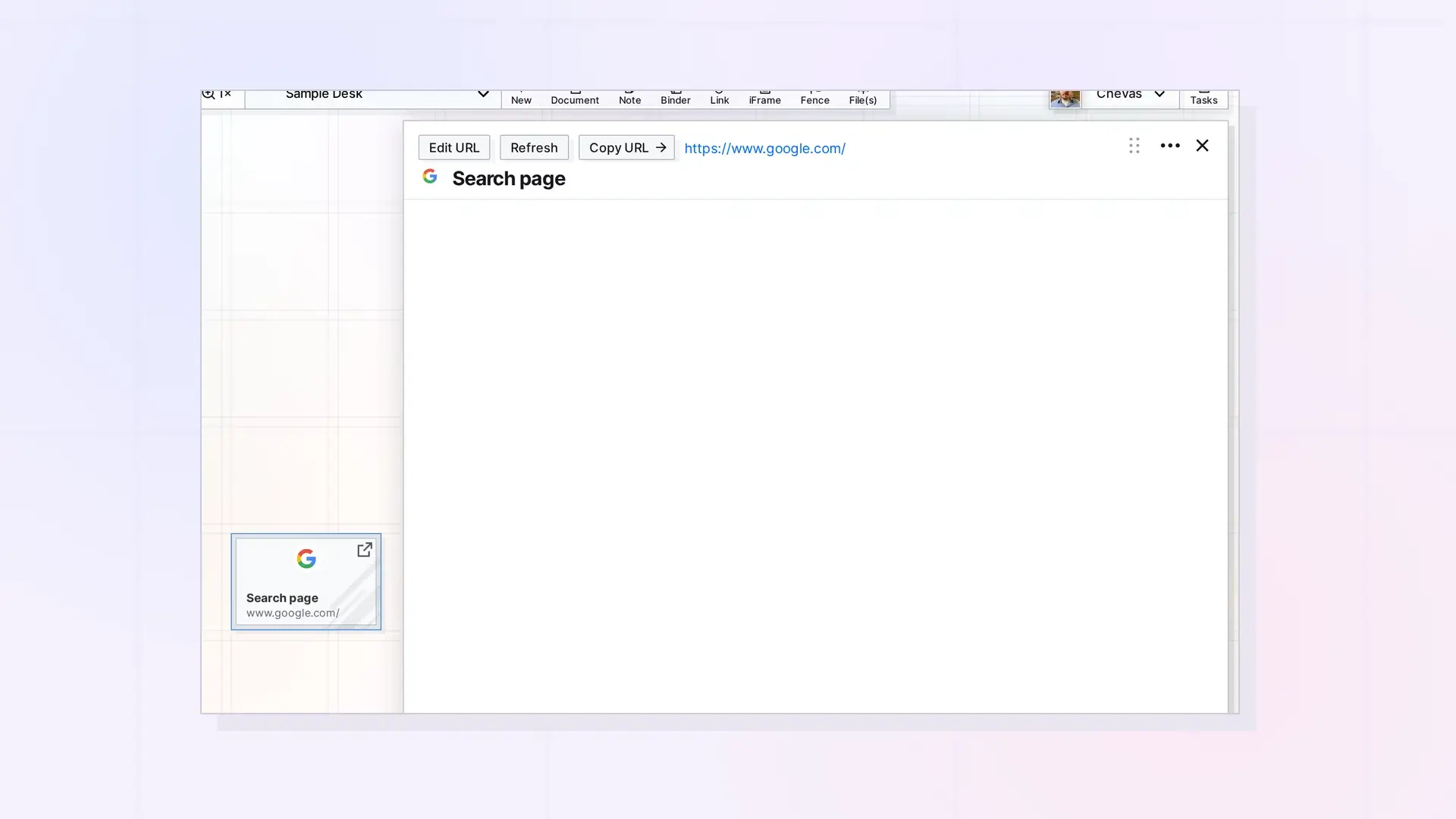
Some websites block being shown inside other apps, so their iFrame page stays blank or shows a broken page icon. Opal cannot override that choice. Save those sites as a link item instead, or open them in their own tab with Copy URL.
Common Reasons
- The site blocks embedding. Many large sites, such as search engines, banks, and social networks, tell browsers not to show them inside other apps.
- The address is missing or wrong. An iFrame with no address shows Invalid URL: No Link. Fix it with Edit URL.
- The page needs a sign-in. Some sites show a sign-in prompt, or nothing, when you are not signed in to them in the same browser.
- The address is not http or https. Use a full web address that starts with https://.
What to Do Instead
- Click Copy URL on the iFrame’s page and open the address in a browser tab.
- Or save the site as a link item, which works with every site and lets you add your own notes. See Link Item or iFrame: Which Should You Use?.
Check an Address Quickly
Click Edit URL on the iFrame’s page, make sure the full address is there, and click Done. Then click Refresh.
Next Steps
- Change an iFrame’s URL
- Save a Link as an Item: Link Items and Their Notes
- What Is an iFrame in Opal?
FAQ
Can Opal force a blocked site to load?
No. The site decides whether it can be shown inside other apps.
Why does Google Search not load in an iFrame?
Google Search blocks embedding. Save it as a link item instead.

