

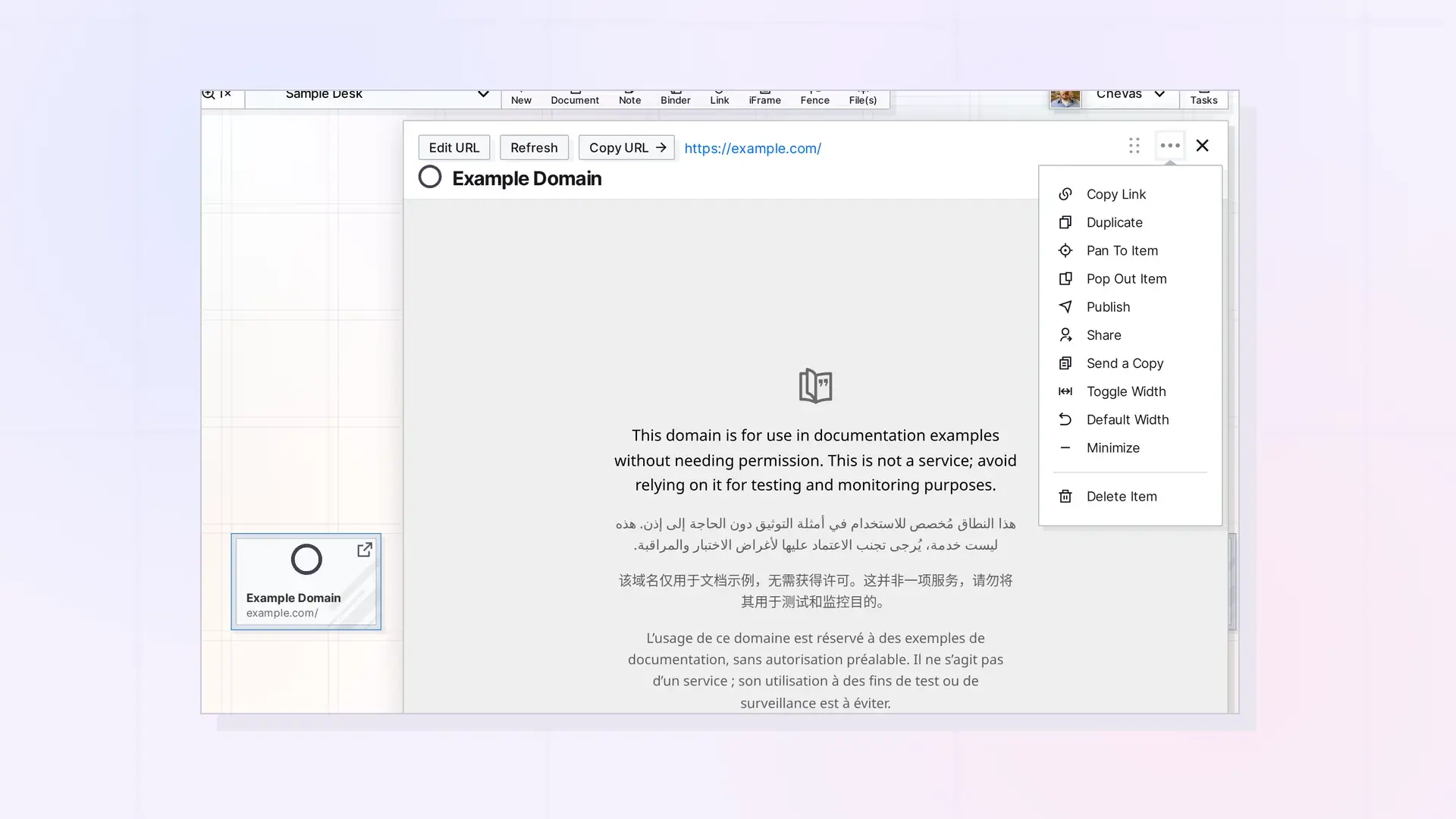
You share an iFrame the same way as any other Opal item: open it, click •••, and click Share, Send a Copy, or Publish. The people you share with see the same web address, but the embedded site still decides what each of them can see.
Share, Copy, or Publish
- Share gives specific people access to the same iFrame. See Share an Item Step by Step.
- Send a Copy gives someone their own copy. See Send a Copy of an Item.
- Publish makes a public page anyone with the link can view. See Publish an Item.
Access to the Embedded Site
Sharing the iFrame shares the address, not your access to the site. For a Google Doc or Sheet, each person needs their own access in Google, and they may need to sign in to Google in their browser.
Copy Link and Copy URL
- Copy Link in the ••• menu copies the Opal link to the iFrame item.
- Copy URL on the page copies the web address of the embedded site.
Next Steps
- Share, Send a Copy, or Publish? Choosing the Right Option
- Embed a Google Doc in Opal
- Change an iFrame’s URL
FAQ
Can people I share with change the address?
Only if you give them edit permission.
Does a published iFrame show the website?
The public page uses the same web address, and the site still decides whether it can be shown.

