

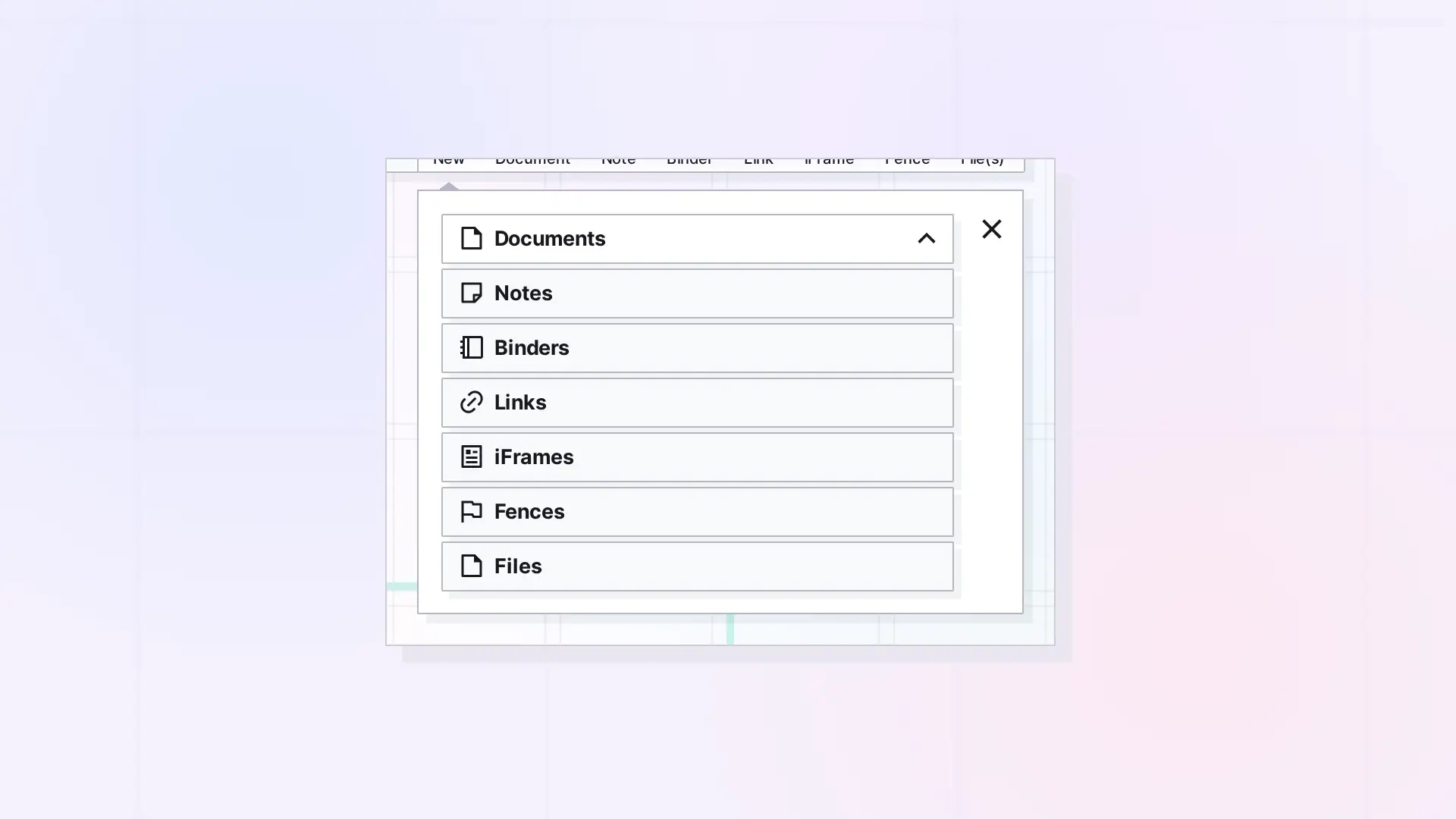
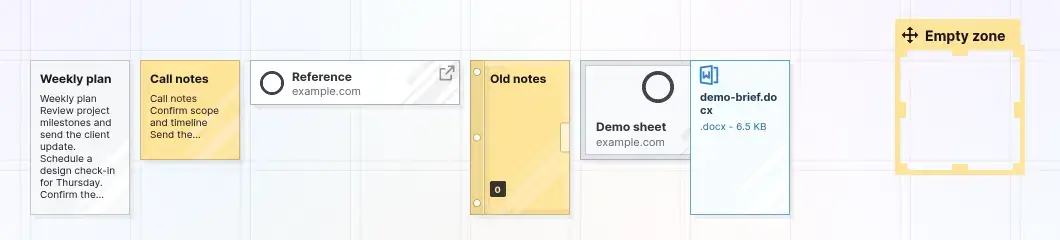
Use a document for long writing, a note for quick capture, a link for a web address you want to save with notes, an iFrame to work with a website inside Opal, a binder to tuck things away, a fence to group items on your grid, and a file to store a file. The table below matches jobs to item types.
Decision Table
| If you want to… | Use | Why |
|---|---|---|
| Write a plan, procedure, or meeting notes | Document | A taller page with the full block editor, 840 px wide by default |
| Jot a quick idea or a status you want to see at a glance | Note | A small sticky note with the same block editor |
| Save a web page with your own notes | Link | Holds a web address and opens into a block editor |
| Work with a web page or a Google Doc or Sheet inside Opal | iFrame | Shows the site inside Opal when the site allows embedding |
| Tuck away old or repeating content | Binder | Keeps content close but off your workspace |
| Group items into a zone and move them together | Fence | A resizable zone on the workspace |
| Keep a PDF, image, Office file, or text file | File | Upload any file as its own item |
Read more about each type: Notes, Link items, and File items.
Examples by Job
- Meeting notes: use a document. For regular weekly meetings, store them in a binder.
- SOPs: use documents and link them together with item links.
- Reference information: use documents for text you look up, and files for PDFs and manuals.
- Client dashboards: use an iFrame for a Google Sheet, and a fence to group everything for one client.
- Reading list: use link items, one per page.
- Quick reminders: use notes.
Mixing Item Types in One Workspace
You can put every type on the same workspace. Use fences for zones, binders to tuck things away, and item links to connect related items. Items count toward your plan’s item limit. The Pricing page shows the limit for each plan.
Next Steps
- See what each item type is: What Are Opal Items
- Learn about notes: What Is a Note in Opal? Notes vs Documents
- Save a link: Save a Link as an Item: Link Items and Their Notes
- Store a file: What Is a File Item? Images, PDFs, Office Files, and More
FAQ
What are the seven Opal item types?
Documents, Notes, Binders, Links, iFrames, Fences, and Files. You choose the type in the dropdown of the New panel.
Which item type should I use for meeting notes?
A document. If you have the same meeting every week, keep the documents in a binder so they do not fill your workspace.
Is there a limit on how many items I can have?
Yes. Day Desk, Studio, and Workshop each have an item limit, which the Pricing page lists. The Pricing page describes an item as a piece of draggable content, such as a note or a document.

