

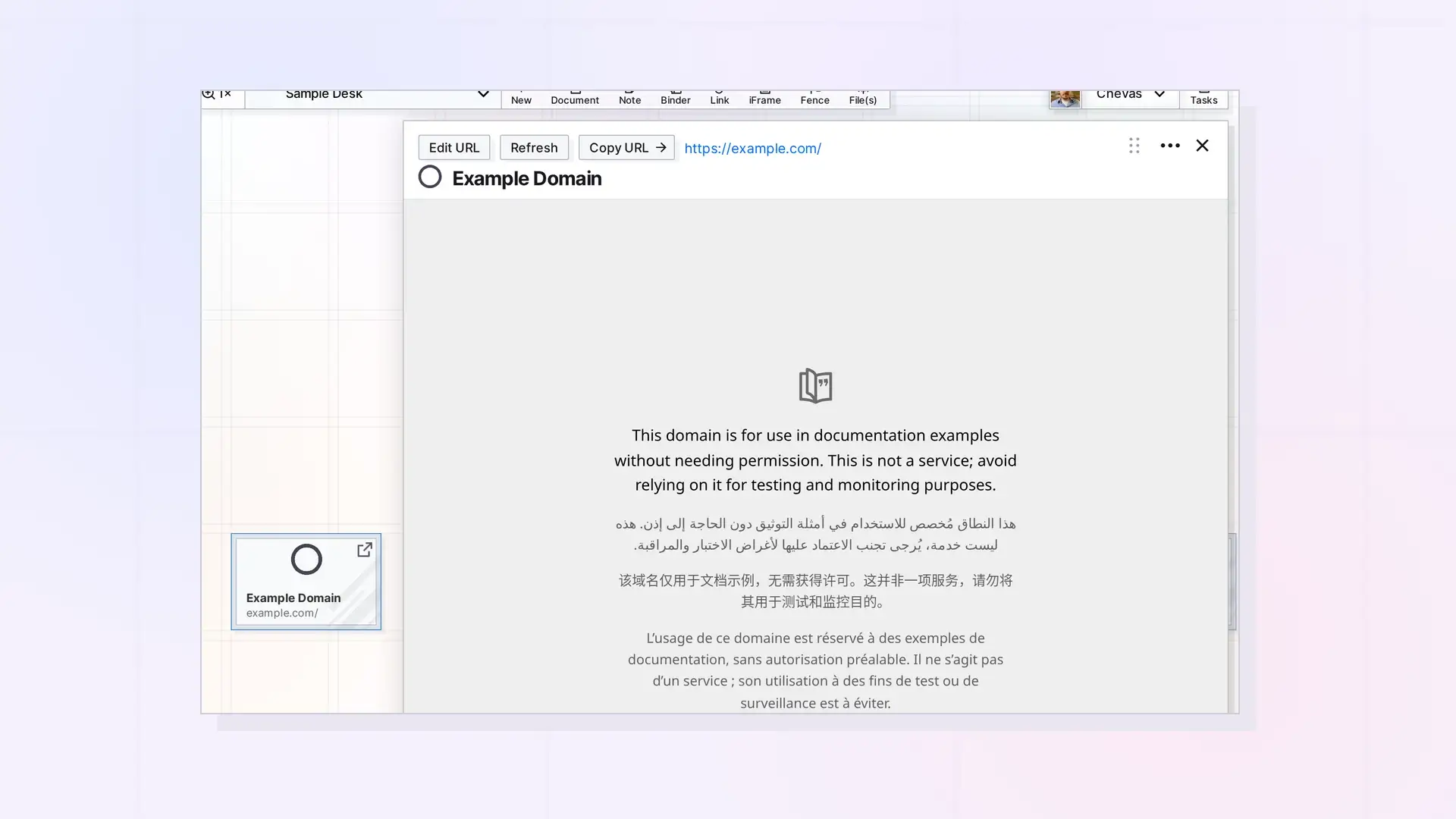
An iFrame is an Opal item that shows a web page inside Opal. Open it and the page loads in the iFrame’s page, so you can read it, scroll it, and use it without leaving your workspace. It is a good fit for pages you check often, such as a shared spreadsheet or a dashboard.
What an iFrame Looks Like
On the grid, an iFrame is a small tile with its title. Click it to open its page. At the top of the page you see the title, three buttons (Edit URL, Refresh, and Copy URL), and the web address. The web page fills the rest.
What You Can Do with an iFrame
- See and use a web page inside Opal.
- Put it in a fence next to the notes and documents that go with it.
- Change its web address with Edit URL.
- Share it or publish it like any other item.
What an iFrame Is Not
- An iFrame has no block editor, so you cannot add your own notes to it. Put a note or a document next to it instead.
- Not every site can be shown in an iFrame. Some sites block it, and the page stays blank. See Why a Website Won’t Show in an iFrame.
iFrame or Link Item?
If you want to save a page with your own notes, use a link item. If you want to see the page itself, use an iFrame. See Link Item or iFrame: Which Should You Use?.
Next Steps
FAQ
Can I write notes in an iFrame?
No. An iFrame shows a web page. Use a note, a document, or a link item for your notes.
Why is my iFrame blank?
The site probably does not allow embedding. Save it as a link item instead.

