

Watch the video OR read below.
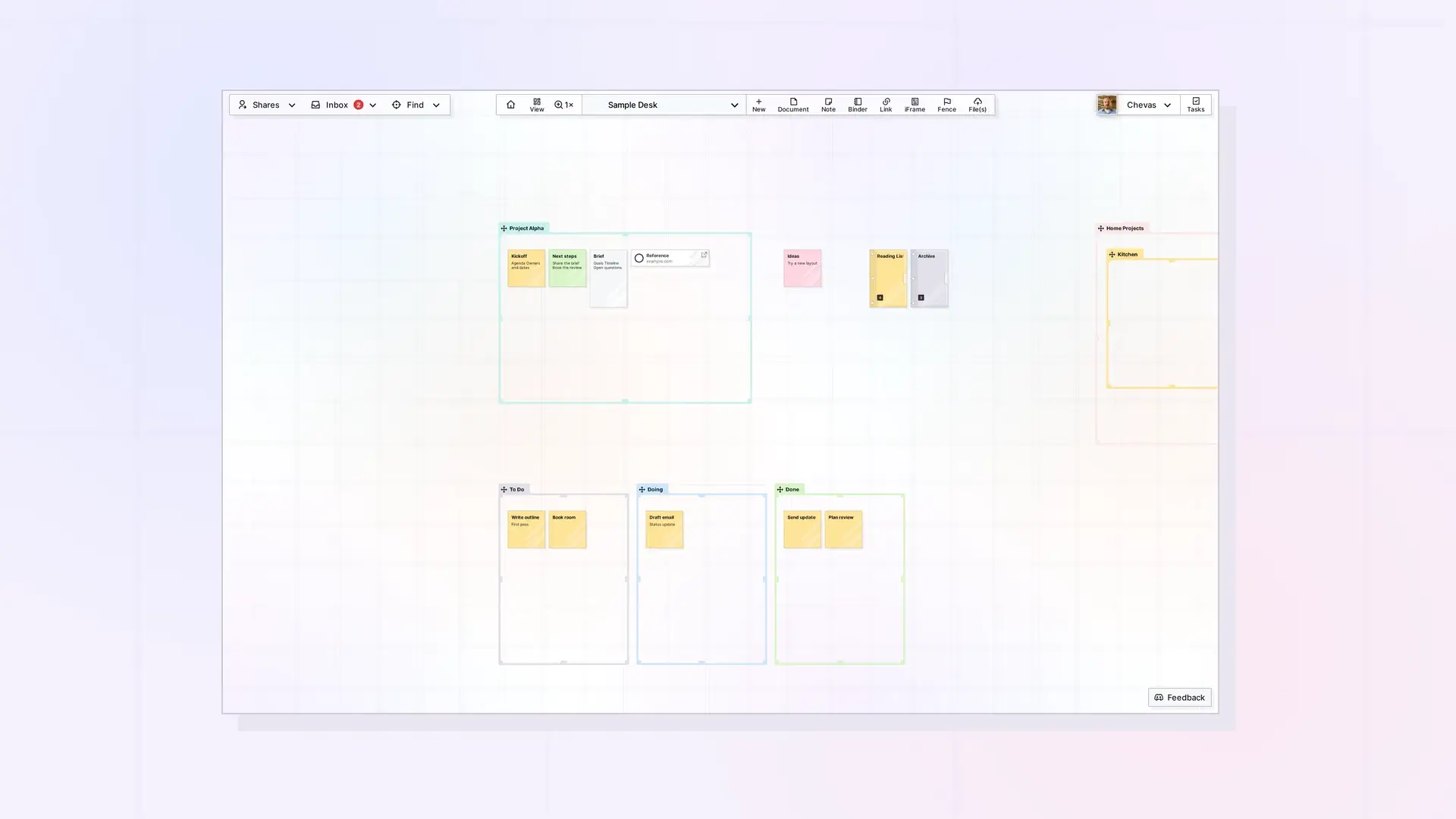
Opal is a visual workspace for notes, documents, links, and files. Instead of folders, you place items on a big grid that you pan and zoom, like a desk. You can open as many items as your screen allows and drag them wherever you want. Registration is open, so you can create an account today.
What Is Opal?
You browse your content by panning and zooming around your workspaces. Items such as notes, documents, and binders can be dragged and positioned anywhere. Click an item to see what is inside, and keep as many open as your screen will fit.
Who Is Opal For?
Opal suits people who would rather glance than dig. If you keep losing things in nested folders, juggle several clients or projects, or think better when you can see everything at once, a visual desk can help.
How to Register
Go to app.opalrecall.com/register. You answer a few short questions about how you work, then pick a plan (Opal recommends one, but you can choose any). You pay through Stripe Checkout, then set a password or continue with Google. Opal signs you in when you finish.
Your new account starts with a workspace at the address you chose, the starter fences you picked, and a saved view when one fits your answers. Bookmark app.opalrecall.com so you can get back to it quickly.
Choosing a Plan
Opal has three plans. As of October 2026:
| Plan | Per seat per month | With a yearly subscription | Workspaces | Items | Storage |
|---|---|---|---|---|---|
| Day Desk | $9 | $7 per month | 1 | 250 | 250 MB |
| Studio | $27 | $21 per month | 3 | 1,000 | 1 GB |
| Workshop | $47 | $37 per month | 7 | 5,000 | 5 GB |
API access is included on Workshop only. See the Pricing page for the full comparison.
After You Register
- Follow Opal Quick Start: Your First 10 Minutes for a six-step setup.
- Set Up Your Opal Profile.
- Create Your First Workspace: A Visual Desk.
FAQ
What is Opal?
A visual workspace where you arrange notes, documents, links, and files on a grid that you pan and zoom.
Is Opal invite-only?
No. Registration is open at app.opalrecall.com/register.
What plans does Opal offer?
Day Desk, Studio, and Workshop. Workshop is the only plan with API access.

