

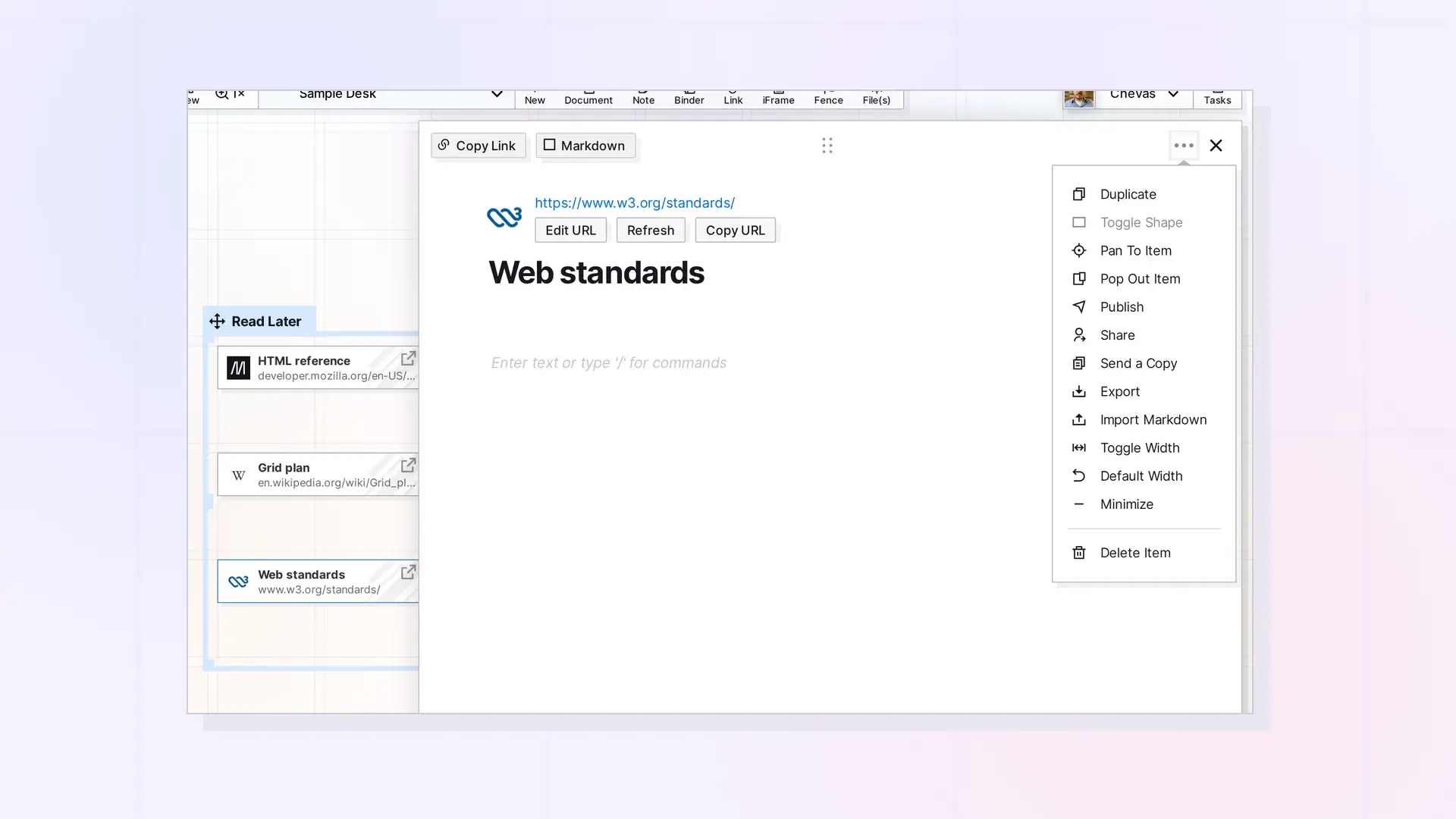
A link item is shared the same way as any other item. Open it, choose Share in the ••• menu, add the people, and choose a role. The people you share with see the same link item, with its web address, title, and your notes.
Share a Link Item
- Click the link item to open its page.
- Click the ••• menu and choose Share.
- Enter one or more email addresses and choose a role, such as Viewer or Editor.
- Send the invite.
See Share an Item Step by Step for every option.
What People Can Change
It depends on the role. With Edit, they can change the notes. Changing the title needs Edit Titles. See Share Roles and Permissions Explained.
Send a Copy Instead
Choose Send a Copy to give someone their own copy of the link item, with the notes as they are now. See Send a Copy of an Item.
Publish a Link Item
Choose Publish to make the link item viewable by anyone with the public link. See Publish an Item.
Next Steps
- Sharing in Opal: What You Can Share and How It Works
- Share, Send a Copy, or Publish? Choosing the Right Option
FAQ
Can I share a single link item?
Yes. Any link item can be shared on its own.
Do the people I share with see my notes?
Yes. Sharing shares the whole link item, including the notes under its title.

