

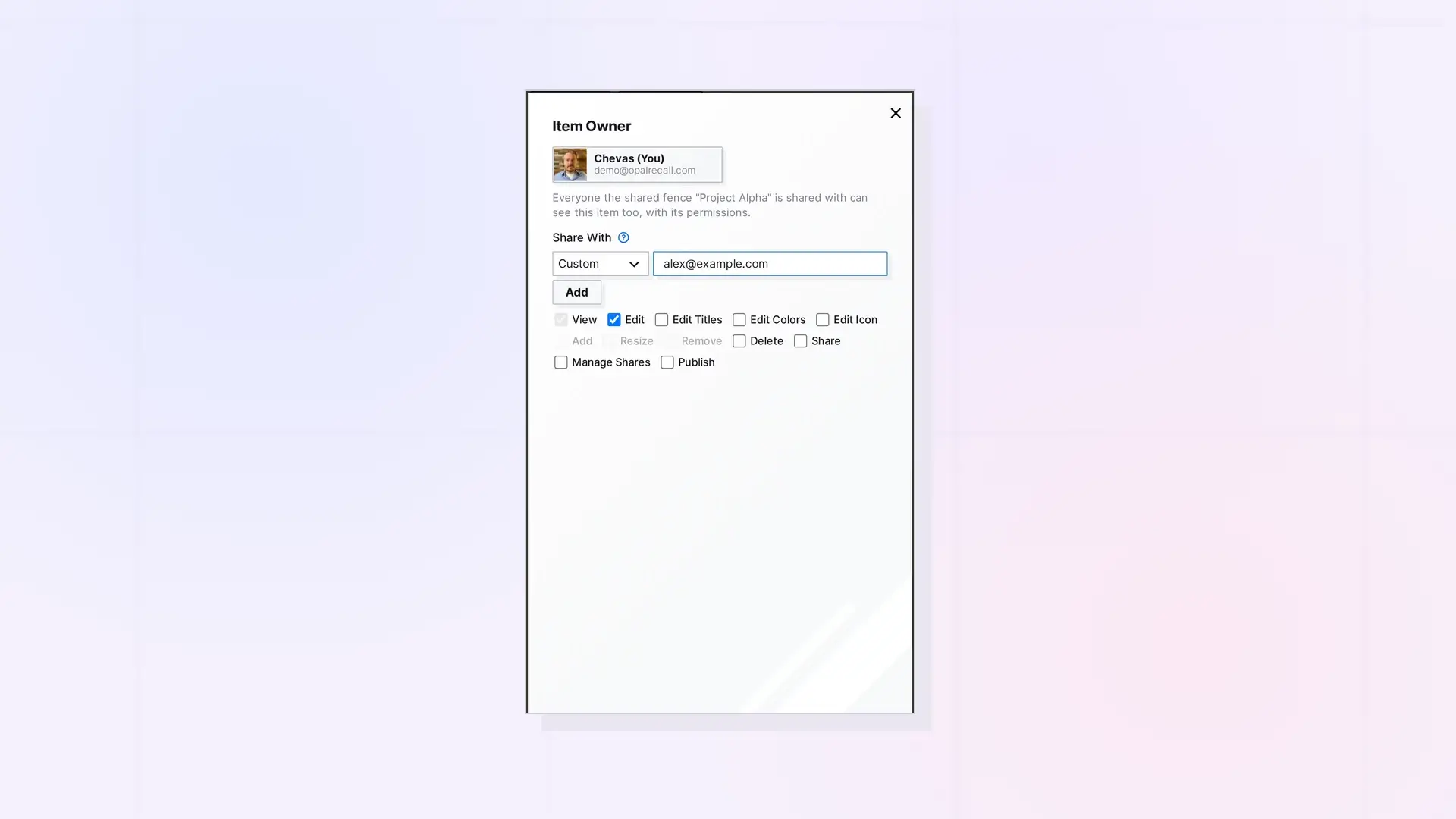
When you share, you choose a role. Each role is a set of permissions, from Viewer, who can only look, to Manager, who can do nearly everything. Choose Custom to pick each permission yourself. The same roles and permissions apply to single items, binders, and fences.
The Roles
| Role | Permissions |
|---|---|
| Viewer | View |
| Editor (the default) | View, Edit |
| Contributor | View, Edit, Add |
| Collaborator | View, Edit, Add, Remove |
| Manager | View, Edit, Edit Titles, Edit Colors, Edit Icon, Add, Resize, Remove, Delete, Share, Manage Shares |
| Custom | The permissions you check |
What Each Permission Does
| Permission | What it lets them do |
|---|---|
| View | See the item. Always on. |
| Edit | Edit the content. For a binder or fence, also edit the items in it, reorder a binder, or move items inside a fence. |
| Edit Titles | Change the title and description. For a binder or fence, also of the items in it. |
| Edit Colors | Change the colors. For notes, documents, binders, and fences. |
| Edit Icon | Change the icon. For notes, documents, binders, and fences. |
| Add | Add their own items to a shared binder or fence. |
| Resize | Resize a shared fence. Needs Edit. |
| Remove | Take other people’s items out of a shared binder or fence. They go back to their owner. |
| Delete | Delete the shared item. For a binder or fence, delete items in it, never the container itself. |
| Share | Share it onward with others. |
| Manage Shares | Pass the ability to manage shares on when sharing onward. Needs Share. |
| Publish | Publish a shared single item at their own public link. |
Custom Permissions
- Under Share With, choose Custom.
- Check the permissions you want to give. View is always on.
Some permissions apply only to some item types. Add and Remove matter for binders and fences, Resize only for fences, and Publish is not offered for binders and fences, which only their owner can publish.
Things to Know
- When you share something onward, you can only give permissions you have yourself.
- Changing someone’s permissions later stays with the owner. See Change Someone’s Permissions or Stop Sharing.
- If the owner’s account becomes view-only, everyone they share with can only view.
Next Steps
FAQ
Which role should I pick?
Viewer to show, Editor to work on content together, Contributor or Collaborator when others add their own items to a binder or fence, and Manager when someone helps you run it.
Can a Manager publish my binder or fence?
No. Binders and fences can only be published by their owner.
Why are some roles missing when I share onward?
You can only give permissions you have, so roles that include more than you have are not offered.

