

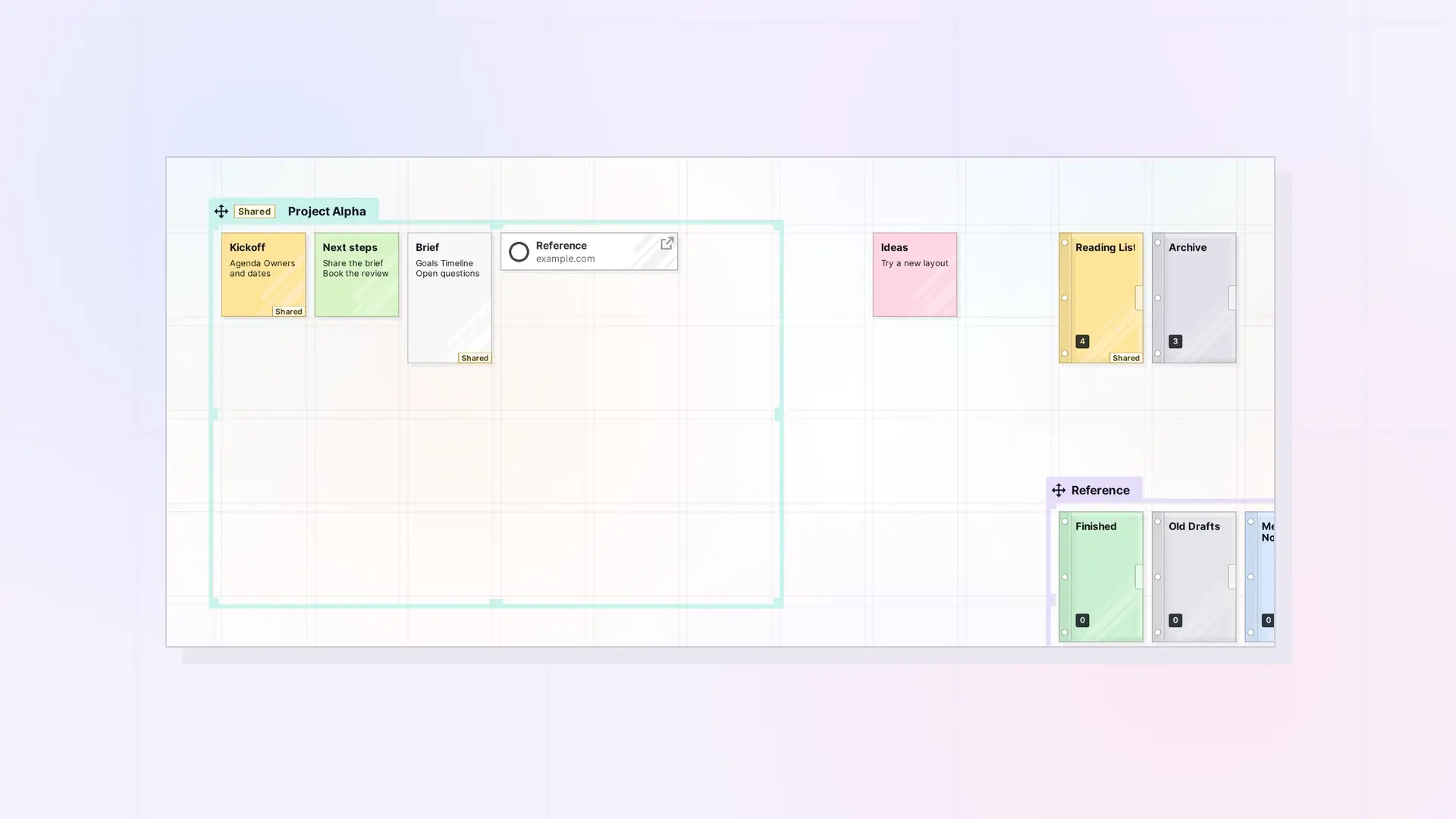
Fences and binders are Opal’s two containers. Both group items, and both can be shared and published. The difference is how they look on your desk: a fence keeps items spread out and visible on the grid, while a binder collects items into one compact item and lists them in its panel.
At a Glance
| Fence | Binder | |
|---|---|---|
| What it is | A colored zone on the grid | One item on the grid that holds a list |
| Items inside | Stay visible where they are | Listed in the binder’s panel, off the grid |
| How you add items | Drag them inside the fence | Drag them onto the binder, or use + Add in its panel |
| Order | Your layout on the grid | A list you can reorder |
| Can hold binders and fences | Yes | No |
| Size | 1 to 30 grid squares each way | One item on the grid |
| Share | Yes, with everything inside | Yes, with everything inside |
| Publish | Yes, by the owner | Yes, by the owner |
Use a Fence When
- You want to see everything at once, like a board.
- Layout matters: groups, columns, or a Kanban flow.
- You want to nest other containers inside.
Use a Binder When
- You want to tuck a set of items away and keep the desk tidy.
- Order matters: steps, chapters, or a reading list.
- You are archiving finished work. See Use Binders as an Archive.
Use Both
Put binders inside a fence. For example, a project fence can hold its active notes in view and a binder of finished documents next to them. See Nest Fences and Binders Inside a Fence.
Next Steps
- What Is a Fence? Zones That Group Items on Your Workspace
- What Is a Binder? Keep Related Items Together
- Organize a Workspace with Fences: Layout Ideas
FAQ
Do the same sharing rules apply to both?
Yes. Roles, permissions, limits, and the plan requirement are the same for fences and binders. See Share Roles and Permissions Explained.
Can I turn a fence into a binder?
There is no conversion. Create a binder and drag the items onto it, or the other way around.

