

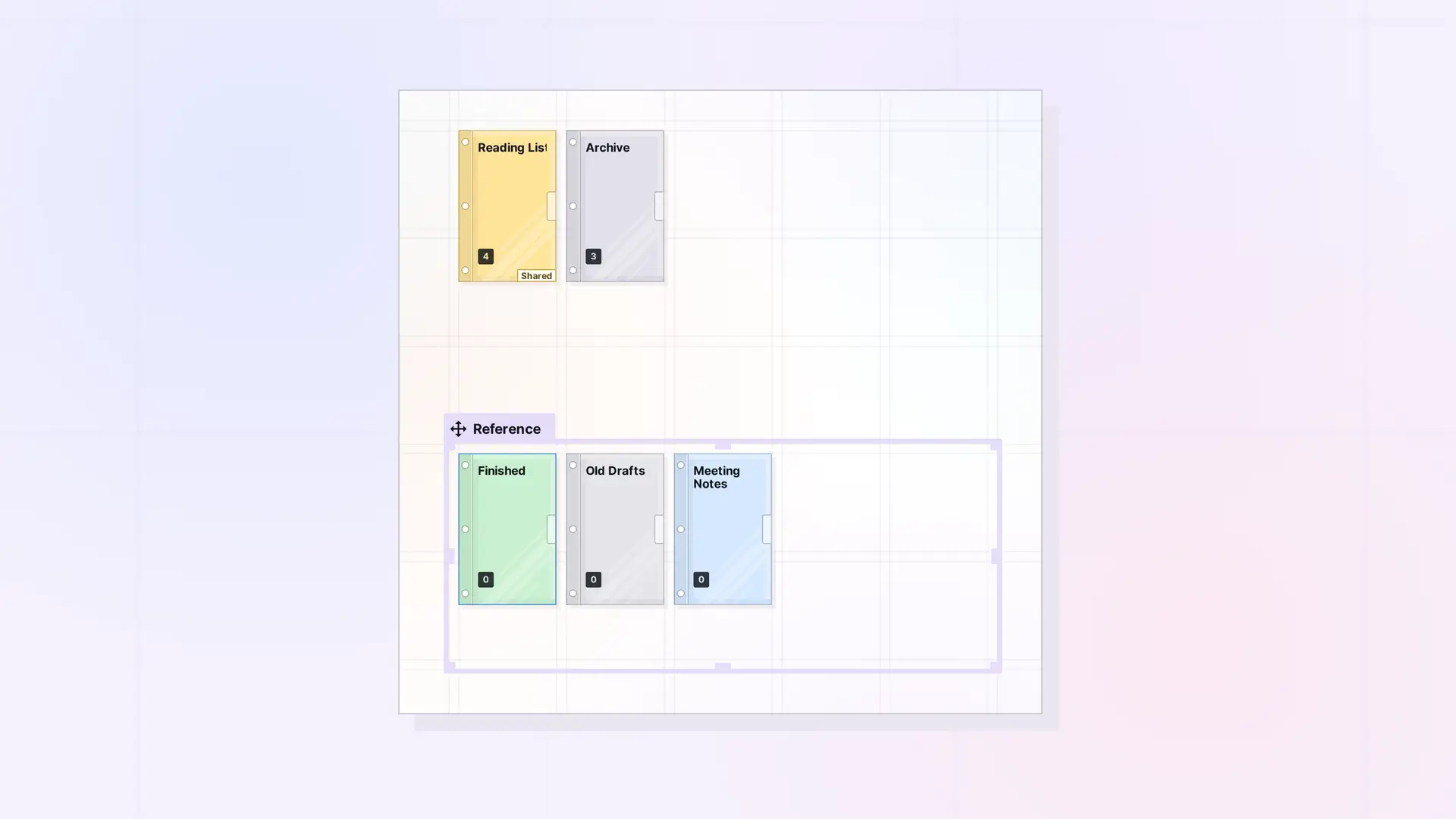
A binder makes a good archive. Instead of deleting finished work, drag it onto an archive binder. It leaves the grid, stays searchable, and is one click away when you need it again.
Set Up an Archive Binder
- Create a binder named, for example, “Archive” or “Finished projects”. See Create a Binder.
- Place it at the edge of your workspace, or in a “Reference” fence.
- When you finish with an item, drag it onto the binder and click Add to Binder.
Archive Styles
- By project: one binder per finished project, next to the project’s fence.
- By period: one binder per month or quarter.
- By topic: “Meeting notes”, “Receipts”, “Old drafts”.
Getting Something Back
- Use Find in the toolbar, or search with Ctrl + K. See Find an Item in a Binder.
- To put an item back on the grid, open the binder and click X on its row. See Take Items Out of a Binder.
Archive or Delete?
Archiving keeps the item. Deleting removes it for good. For the difference, see Delete or Archive an Item in Opal (and Whether You Can Undo It).
Next Steps
- Binder Limits: What Can and Cannot Go in a Binder
- Organize a Workspace with Fences: Layout Ideas
- Fences vs Binders: Which Should You Use?
FAQ
Do archived items still count toward my item limit?
Yes. Items in a binder are still items.
What if my archive gets full?
A binder holds up to 500 items. Start a new archive binder, for example one per year.

