

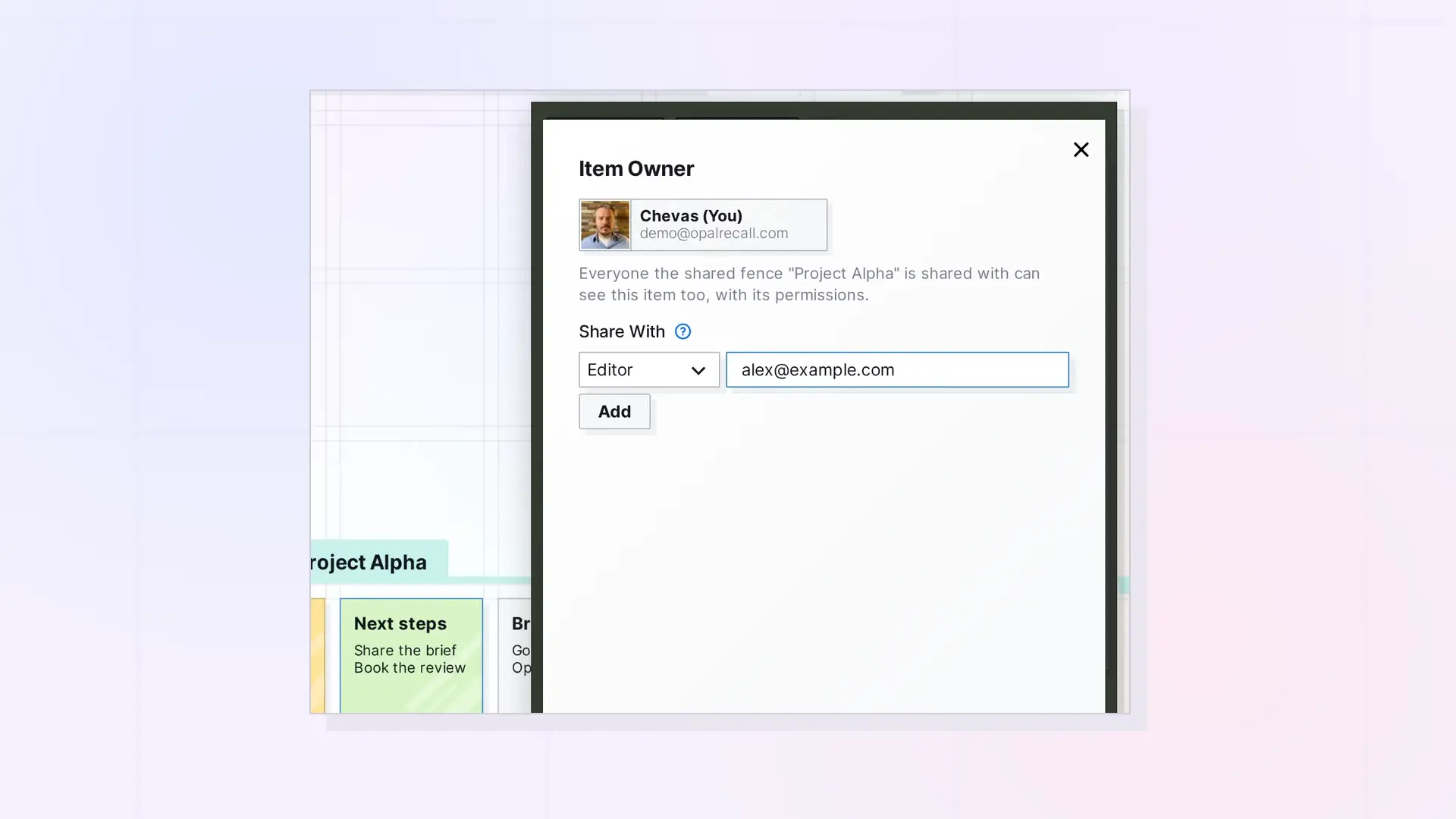
Sharing creates linked collaboration: the recipient sees and works on your item, based on permission toggles you choose. Use POST /shares to share, then the recipient accepts. Documents, notes, links, iframes, files, binders, and fences can be shared. The owner can also hand a shared item to one of its members. Creating shares is limited to 20 per user per 60 seconds.
Sharing links two people to one item. To give someone their own independent duplicate instead, see Copies API: Send, Accept, and Decline Independent Copies.
Shareable Item Types
Shareable item types are document, note, link, iframe, file, binder, and fence. Sharing a binder or fence needs a plan with shareContainers, which covers sharing fences and binders. Otherwise the route returns 403 with code: "CONTAINER_SHARE_REQUIRES_UPGRADE".
Sharing a Fence
Sharing a fence shares everything inside it, nested fences and binders included: at most 500 items, nested at most 10 deep (400 with code: "FENCE_TOO_LARGE" or "FENCE_TOO_DEEP"). Only the fence owner’s own items are shared: an item someone shared with the owner leaves the fence. Each recipient places their own copy of the fence (their share record holds its place, as for any shared item), and what is inside keeps one arrangement for everyone. Recipients read what is inside with GET /items/:id/fence/children and the item routes, move things inside with canEdit (they stay inside its walls), put their own items in with canAdd, take out other people’s with canRemove, and resize it with canResize. See Fences API: Add Items, Read Children, and Move a Fence.
Share an Item
POST /api/v1/shares
Single-recipient request:
curl -X POST https://app.opalrecall.com/api/v1/shares \
  -H "Authorization: Bearer opal_live_xxx" \
  -H "Content-Type: application/json" \
  -d '{"itemId":"ITEM_ID","email":"user@example.com","permissions":"canEdit"}'
Bulk-recipient request:
curl -X POST https://app.opalrecall.com/api/v1/shares \
  -H "Authorization: Bearer opal_live_xxx" \
  -H "Content-Type: application/json" \
  -d '{"itemId":"ITEM_ID","recipients":[{"email":"one@example.com","permissions":{"canView":true,"canEdit":true,"canEditTitles":false,"canEditColors":false,"canEditIcon":false,"canAdd":false,"canResize":false,"canRemove":false,"canDelete":false,"canShare":false,"canManageShares":false,"canPublish":false}}]}'
New shares are pending until the recipient accepts them. Response:
{
  "data": {
    "shares": [
      {
        "id": "SHARE_ID",
        "status": "pending",
        "recipientEmail": "one@example.com",
        "permissions": {
          "canView": true,
          "canEdit": true,
          "canEditTitles": false,
          "canEditColors": false,
          "canEditIcon": false,
          "canAdd": false,
          "canResize": false,
          "canRemove": false,
          "canDelete": false,
          "canShare": false,
          "canManageShares": false,
          "canPublish": false
        },
        "recipientPermissions": "canEdit",
        "created": "2026-10-10T12:00:00.000Z"
      }
    ],
    "itemUpdated": true
  }
}
A recipient who already has a pending or active share of the item is not shared with again. Their entry has alreadyShared: true, the existing share’s id and status, its toggle object in permissions, and its legacy string in recipientPermissions.
Someone without an Opal account gets an invitation email with a link to /join, where they can create a view-only account for that email. What was shared then waits for them to accept, up to 5 items. Accepting a shared binder or fence needs shareContainers on the recipient’s plan, and the container and everything in it count toward the item limit.
Recipients who have their own share with canShare can share the item onward. They can grant only toggles their own share has (canView always). Asking for more returns 403 Cannot grant higher permissions than you have (...) naming the toggles, and nothing is shared with any recipient in the request. If the owner’s account is locked, a recipient’s share counts as canView only, so they cannot share the item onward (403).
Errors: 400 for a missing itemId or email, invalid permissions, or sharing with yourself. 403 for a type that cannot be shared, the binder and fence plan gate, or no right to share. Sharing a fence that is too big returns 400 with FENCE_TOO_LARGE or FENCE_TOO_DEEP. 404 if the item does not exist. 429 for the share rate limit. 502 with code: "BULK_SHARE_FAILED" if a share record could not be created, in which case none of the request’s new shares are kept.
Permission Toggles
| Toggle | Meaning |
|---|---|
canView | Read the item, its page, and its file. For a binder: read the binder and every item in it. |
canEdit | Edit the content: editorContent, linkUrl, rotation (see Update an Item), and embed media. For a binder: also edit the items in it and reorder it. For a fence: move items inside it. |
canEditTitles | Change the title and subtitle (title, description). For a binder or fence: also the items in it. |
canEditColors | Change the colors (itemColor, itemTextColor). For a binder or fence: also the items in it. |
canEditIcon | Add, change, or remove the icon and its color (itemIcon, itemIconType, itemIconColor). For a binder or fence: also the items in it. |
canAdd | Add items to a shared binder, and file shared items in it. For a shared fence: put your own items in it. |
canResize | Resize. In the API, change fenceWidth and fenceHeight (with canEdit). |
canRemove | Remove items from a shared binder. For a shared fence: take other people’s items out (they go back to their owner). |
canDelete | Delete the shared item. For a binder: delete items in it (never the binder itself). |
canShare | Share the item onward. |
canManageShares | Grant canManageShares when sharing onward. Changing permissions stays with the owner. |
canPublish | Publish a shared leaf item at your own public URL, and include it in binders and fences you publish. |
These rules are checked on create and update (400 Invalid permissions: <reason> when broken, for example Invalid permissions: canResize requires canEdit):
| Toggle | Requires |
|---|---|
| Every share | canView |
canResize | canEdit |
canManageShares | canShare |
canAdd and canRemove apply to shared binders and shared fences. canEdit alone does not cover the title, colors, or icon: those need canEditTitles, canEditColors, and canEditIcon. canPublish matters for leaf items only: binders and fences are publishable by their owner only. If the owner’s account is locked, every share of their items acts as canView only. Missing toggles count as false.
Legacy Permission Strings
You can send a legacy string instead of a toggle object. Toggle objects are the forward-going form.
| String | Grants |
|---|---|
canView | canView |
canEdit | canView, canEdit |
canEditShare | canView, canEdit, canAdd, canRemove, canShare |
canEditManageShares | canView, canEdit, canAdd, canRemove, canShare, canManageShares |
No legacy string grants canEditTitles, canEditColors, canEditIcon, canResize, canDelete, or canPublish.
List Incoming Shares
GET /api/v1/shares/incoming
curl https://app.opalrecall.com/api/v1/shares/incoming \
  -H "Authorization: Bearer opal_live_xxx"
Returns pending shares sent to you: { "data": { "shares": [{ id, status, itemId, itemTitle, itemType, containerType, permissions, recipientPermissions, sender: { displayName, email }, created }] } }. A fence’s share also has descendantCount: how many items are inside it. ?containerType=binder or ?containerType=fence lists only shares of that kind of container (400 for any other value).
List Outgoing Shares
GET /api/v1/shares/outgoing
Returns active (accepted) shares of items you own: { "data": { "shares": [{ id, status, itemId, itemTitle, itemType, containerType, recipient: { userId, displayName, email }, permissions, recipientPermissions }] } }. A fence’s share also has descendantCount. ?containerType=binder or ?containerType=fence filters as for incoming shares. Pending shares, including invitations to people without an account, are not listed.
recipient.userId is the member’s user ID. It is what POST /items/:id/reassign needs to hand the item to that member.
What You Already Have of a Shared Binder or Fence
GET /api/v1/shares/:id/already-have
curl https://app.opalrecall.com/api/v1/shares/SHARE_ID/already-have \
  -H "Authorization: Bearer opal_live_xxx"
Recipient-only, for a binder or fence share, pending or accepted. Lists the items inside that container that you also have on your own (shared with you individually, on one of your workspaces, in your inbox, or in one of your binders), and where each one is: { "data": { "items": [{ itemId, title, where, workspaceName, binderId }] } }, where where is "workspace", "inbox", or "binder". For any other kind of share it returns an empty list. Call it before you accept, to choose ownItems.
Accept a Share
POST /api/v1/shares/:id/accept
curl -X POST https://app.opalrecall.com/api/v1/shares/SHARE_ID/accept \
  -H "Authorization: Bearer opal_live_xxx" \
  -H "Content-Type: application/json" \
  -d '{"ownItems":"move"}'
Recipient-only, pending shares only (404 otherwise). Accepting a shared binder or fence needs a plan with shareContainers (403 with code: "CONTAINER_ACCEPT_REQUIRES_UPGRADE"), and the container and everything inside it count toward your item limit (403 with code: "ITEM_LIMIT_EXCEEDED"). The accepted item lands in your inbox. A fence comes with what is inside it. Returns { "data": { "id": "...", "status": "active", "itemId": "...", "itemTitle": "..." } }.
A binder or fence can hold items you already have on your own: shared with you individually, on one of your workspaces, in your inbox, or in one of your binders. See which ones with GET /shares/:id/already-have, then choose what happens to them with ownItems in the request body:
"leave"(the default): each such item stays where you have it, and the container does not show it to you."move": each such item shows inside the container only. Your own share of it stays, placed in your inbox (and taken out of your binder if you filed it there), so it is still there if it leaves the container or you leave the container share.
Your choice is saved on your share and also applies to items put in the container later. Any other value returns 400. For a binder or fence, the response also includes ownItems (your choice) and movedIn (the IDs of the items moved in).
Decline a Share
POST /api/v1/shares/:id/decline
Recipient-only. Deletes a pending share and returns { "data": { "success": true } }. Declining a share you already accepted returns 409 {"error":"This share was already accepted. To leave it, use DELETE /api/v1/shares/:id."}.
Update a Share
PATCH /api/v1/shares/:id
The item’s owner and the share’s recipient can call this route (404 for anyone else). Only the owner can change permissions (403 Only the owner can change permissions), including for recipients who have canManageShares. The owner and the recipient can update the recipient’s placement.
| Field | Notes |
|---|---|
permissions | Legacy string or toggle object. Owner-only. |
xPosition, yPosition, rotation | The recipient’s position of the shared item. |
parentWorkspaceSubmissionId, parentWorkspaceName | The recipient’s workspace for it. The workspace must be one of the recipient’s (403, or 404 if it does not exist). An empty string puts it back in the inbox. |
parentBinder | A binder the recipient owns or has canAdd on (403 Not authorized to file this item in that binder otherwise). A share of a binder or fence cannot be filed in a binder (400 with code: "CONTAINER_IN_BINDER"). POST /items/:binderId/binder/items files the item and sets this for you. |
Returns { "data": { "id": "...", "permissions": {...}, "recipientPermissions": "...", "position": {...} } } with the parts you changed. Revoking canPublish deletes the recipient’s standalone published page for that item.
Move a Shared Item In or Out of the Inbox
PATCH /api/v1/shares/:id/inbox
curl -X PATCH https://app.opalrecall.com/api/v1/shares/SHARE_ID/inbox \
  -H "Authorization: Bearer opal_live_xxx" \
  -H "Content-Type: application/json" \
  -d '{"inInbox":false,"workspace":"WORKSPACE_ID"}'
Recipient-only, active shares only. The workspace must be yours. This updates your share record, not the owner’s item. Returns { "data": { "id": "...", "itemId": "...", "inInbox": false, "workspace": "..." } }.
Place a Shared Item on Your Canvas
An accepted shared item does not use the owner’s workspace fields for your placement. The recipient’s position is on the share record:
- Accept the pending share with
POST /shares/:id/accept. It lands in your inbox. - Move it out of the inbox with
PATCH /shares/:id/inboxand{"inInbox": false, "workspace": "WORKSPACE_ID"}. - If you need exact coordinates,
PATCH /shares/:idwithparentWorkspaceSubmissionId,parentWorkspaceName,xPosition, andyPosition.
To confirm it worked, check that GET /shares/incoming no longer lists the share, GET /items/inbox no longer contains it, and the share record has your workspace and a position near the rest of your items. See Position Items: Batch Move, Inbox, and Z-Order.
Delete a Share
DELETE /api/v1/shares/:id
Owners can remove a recipient or withdraw a pending invitation. Recipients can leave a share. Deleting also takes the item out of the binder the recipient filed it in and deletes the recipient’s canPublish page. For a shared binder, the items the recipient put in it go back to them, out of the binder. When the binder has ownerControlsItems on, they become the owner’s instead and stay in it, with their files moved to the owner’s storage, as far as it has room (the rest go back to them).
For a shared fence, the same: the recipient’s items in it leave it, landing just outside where their copy was (in their inbox if it was there), or, with ownerControlsItems on, become the owner’s and stay where they are.
Returns { "data": { "success": true, "wasLastShare": false, "itemsNotTaken": n } }, where itemsNotTaken counts the recipient’s items the owner’s storage had no room for.
Reassign the Owner
POST /api/v1/items/:id/reassign
curl -X POST https://app.opalrecall.com/api/v1/items/ITEM_ID/reassign \
  -H "Authorization: Bearer opal_live_xxx" \
  -H "Content-Type: application/json" \
  -d '{"newOwnerId":"USER_ID","includeContents":true,"retainShare":true}'
Owner-only. Hands a shared item, binder, or fence to one of its members: someone who accepted its share (their user ID is recipient.userId on its share in GET /shares/outgoing). The item becomes theirs, with its files and image icon moved into their storage, where they had it. Its other shares stay, now theirs, and their own share is removed. includeContents (binders and fences, default true) sends your items inside along. retainShare (default true) keeps you an accepted share with permissions. For a large binder or fence, send "background": true: the route answers 202 with a transferId, and GET /items/reassign/:transferId tells you when it is done. Until then, changes to what it moves return 423 with ITEM_TRANSFERRING.
Refused, with nothing changed: 403 NOT_OWNER, 400 NOT_A_MEMBER, 409 NO_ROOM, or 403 CONTAINER_SHARE_REQUIRES_UPGRADE (a binder or fence that stays shared, and the account’s plan doesn’t include sharing fences and binders for the new owner). See Reassign Owner API: Hand a Shared Item, Binder, or Fence to a Member for every field, the effect on published pages, and the response.
Shared Binder and Fence Children
Recipients read what is in a shared binder or fence through the normal item routes:
GET /api/v1/items/:childId
GET /api/v1/items/:childId/page
GET /api/v1/items/:childId/download
PATCH /api/v1/items/:childId
Authorization cascades from the share of the binder or fence it is in, and of the fences those are in. For a fence, GET /items/:id/fence/children lists what is inside it. There is no separate shared-child endpoint. See Items API: List, Get, Create, Update, and Delete for the access block that shows an inherited share.
Next Steps
- Hand a shared item to a member: Reassign Owner API: Hand a Shared Item, Binder, or Fence to a Member
- Work inside a shared fence: Fences API: Add Items, Read Children, and Move a Fence
- Send an independent duplicate instead: Copies API: Send, Accept, and Decline Independent Copies
- Let recipients publish: Publishing API: Publish, Refresh, Status, and Unpublish
- Handle share limits and errors: Errors, Rate Limits, and Plan Limits in the Opal API
- Place shared items: Position Items: Batch Move, Inbox, and Z-Order
FAQ
Which permission lets someone publish my item?
canPublish. It lets a recipient publish a shared leaf item at their own public URL. Binders and fences can be published by their owner only.
Can I accept shares with the API?
Yes. Use POST /shares/:id/accept on a pending share. The item lands in your inbox.
I already had some of these items. Why don’t I see them in the shared binder or fence?
With ownItems: "leave", the default when you accept, each item you already had stays where you have it, and the container does not show it to you. Accepting with ownItems: "move" shows those items inside the container instead. GET /shares/:id/already-have lists which items this applies to.
Why does my share still show as pending?
New shares are pending until the recipient accepts them. GET /shares/outgoing lists accepted shares only, so pending shares are not in it.
Can a recipient change the permissions I gave?
No. Only the owner can change permissions, even for recipients who have canManageShares.
What if the person I share with has no Opal account?
They get an invitation email with a link to /join, where they can create a view-only account. What you shared waits for them to accept, up to 5 items.
Can I share a fence?
Yes. Sharing a fence shares everything inside it, up to 500 items and 10 levels deep. Only your own items inside are shared.
How do I find the user ID for reassigning an item?
Call GET /shares/outgoing and use recipient.userId on that member’s share. Pending shares are not listed, and pending invitees cannot receive the item.

