

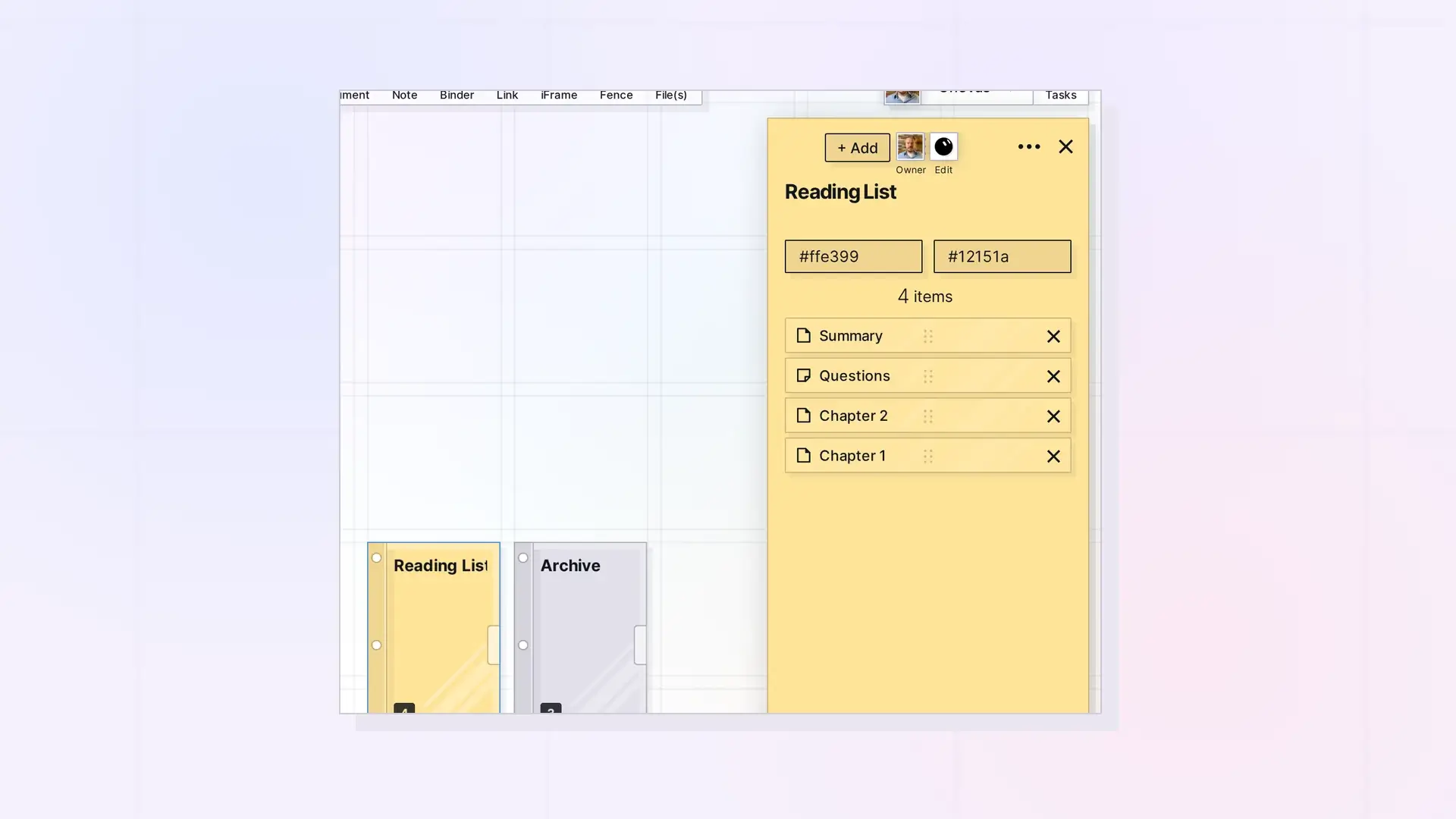
The Binders API adds items to a binder, removes them, reorders them, toggles owner controls, and duplicates a binder. A binder holds at most 500 items, and binders and fences cannot go inside a binder. Binder routes need submission IDs, not item_ IDs. See API Conventions: IDs, Response Format, and Status Codes.
Add Items to a Binder
POST /api/v1/items/:id/binder/items
curl -X POST https://app.opalrecall.com/api/v1/items/BINDER_ID/binder/items \
  -H "Authorization: Bearer opal_live_xxx" \
  -H "Content-Type: application/json" \
  -d '{"itemIds":["CHILD_ID_1","CHILD_ID_2"]}'
The single-item form is also accepted:
{
  "itemId": "CHILD_ID"
}
The IDs must be submission IDs. The target must be a binder (400 otherwise). Owners can add to their binders. Recipients can add to a shared binder when their share grants canAdd. You can add items you own and items shared with you. Other IDs, and items already in the binder, are skipped.
Binders and fences cannot go in a binder. If any ID is one, the request returns 400 { error, code: "CONTAINER_IN_BINDER", itemIds } and nothing is added. New entries go to the top of the binder’s list. Filing a shared item records the binder on your share, not on the owner’s item.
Returns the updated binder under data. Returns 400 when nothing was added. A binder holds at most 500 items. Adding to a full binder returns 400 with code: "BINDER_FULL", and a bulk add stops at 500.
Remove an Item From a Binder
DELETE /api/v1/items/:id/binder/items/:itemId
:itemId must be a submission ID. Owners, and recipients whose share grants canRemove, can remove items. Removing does not delete the item. It goes back to its owner’s canvas near the binder (or where it was, if it is from another workspace), and a shared item filed by you returns to your view of it. Returns the updated binder under data.
Reorder Binder Items
PATCH /api/v1/items/:id/binder/reorder
curl -X PATCH https://app.opalrecall.com/api/v1/items/BINDER_ID/binder/reorder \
  -H "Authorization: Bearer opal_live_xxx" \
  -H "Content-Type: application/json" \
  -d '{"order":["CHILD_ID_1","CHILD_ID_2"]}'
The order array must contain exactly the items currently in the binder (400 otherwise). The first entry is shown at the top. Owners and recipients with canEdit can reorder. Returns the updated binder under data.
Toggle Owner Controls Items
PATCH /api/v1/items/:id/owner-controls-items
curl -X PATCH https://app.opalrecall.com/api/v1/items/BINDER_ID/owner-controls-items \
  -H "Authorization: Bearer opal_live_xxx" \
  -H "Content-Type: application/json" \
  -d '{"ownerControlsItems":true}'
This works on a binder or a fence, and only its owner can call it. When it is on, the owner controls items other people added to it. They can delete them, deleting the binder or fence treats them as the owner’s own (see Delete an Item), and the items of a participant removed from it become the owner’s (in a fence, where they are). For fences, see Fences API: Add Items, Read Children, and Move a Fence. Items that become the owner’s take their files and image icons along, into the owner’s storage, as far as it has room. The rest stay their owner’s. Each change is recorded in ownerControlsItemsHistory.
Returns { "data": { "ownerControlsItems": true, "changed": true, "historyLength": n } }, or changed: false when the value was already set.
Duplicate a Binder
POST /api/v1/items/:id/duplicate
The request body is optional:
curl -X POST https://app.opalrecall.com/api/v1/items/BINDER_ID/duplicate \
  -H "Authorization: Bearer opal_live_xxx" \
  -H "Content-Type: application/json" \
  -d '{"parentWorkspaceSubmissionId":"WORKSPACE_ID"}'
Owner-only, and binders only (400 for other types). The copy is titled Copy of <title> and placed slightly offset from the original, in the given workspace (which must be yours, 404 otherwise) or the original’s. It includes the items in the binder that you own, with their files copied. Items shared into the binder are skipped and listed in skipped. Shares and published state are never duplicated. The item limit and storage limit are checked first (403 with ITEM_LIMIT_EXCEEDED or STORAGE_QUOTA_EXCEEDED).
Response:
{
  "data": {
    "newBinderId": "NEW_BINDER_ID",
    "newBinderTitle": "Copy of Research",
    "clonedCount": 12,
    "skippedCount": 1,
    "cloneErrors": [],
    "skipped": [
      {
        "id": "SUBMISSION_ID",
        "title": "...",
        "reason": "not_owner"
      }
    ]
  }
}
With more than 50 items to copy, or more than 100 MB of files, the route returns 202 with { "accepted": true, "estimatedItems": n, "estimatedBytes": n, "skipped": [...] } under data and finishes in the background. Completion is announced only to open Opal clients. An integration can look for the new Copy of <title> binder with GET /items?type=binder.
Binders and Plans
Sharing a binder needs a plan with shareContainers (Studio or Workshop), and publishing a binder needs publishContainers. See Sharing API: Shares, Permissions, and Recipient Placement and Publishing API: Publish, Refresh, Status, and Unpublish.
Next Steps
- Read and write the items in a binder: Items API: List, Get, Create, Update, and Delete
- Share a binder: Sharing API: Shares, Permissions, and Recipient Placement
- Publish a binder: Publishing API: Publish, Refresh, Status, and Unpublish
- Group items by position instead: Fences API: Add Items, Read Children, and Move a Fence
FAQ
How many items can a binder hold?
500. Adding to a full binder returns 400 with code: "BINDER_FULL".
Can I put a binder or a fence inside a binder?
No. The request returns 400 with code: "CONTAINER_IN_BINDER", and nothing in the request is added.
Does removing an item from a binder delete it?
No. The item goes back to its owner’s canvas near the binder.
Can I duplicate a binder?
Yes, if you own it, with POST /items/:id/duplicate. Large binders (more than 50 items or 100 MB of files) finish in the background and return 202.

