

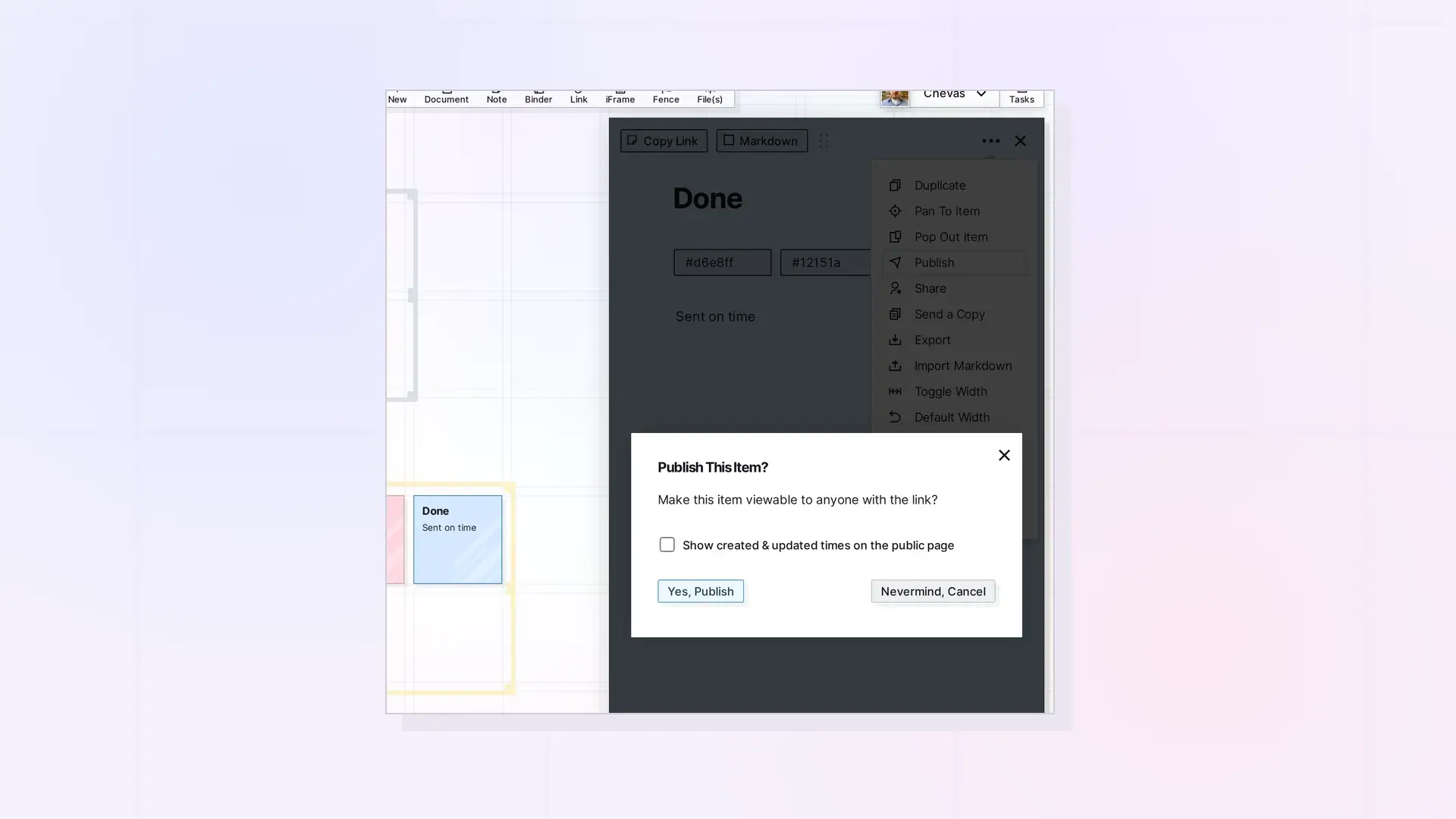
Publishing creates a public, unauthenticated URL under /p/... for an item. Use POST /items/:id/publish to publish, POST /items/:id/publish/refresh to push API edits to the public page, GET /items/:id/publish for status, and DELETE /items/:id/publish to unpublish. Publishing is limited to 20 operations per user per 60 seconds.
Who Can Publish What
Publishable item types:
document, note, link, file, iframe, binder, fence
- Owners can publish their own publishable items.
- Recipients can publish shared leaf items only when their own active share of the item grants
canPublish. - Binders and fences can be published and unpublished by their owner only (
403withcode: "CONTAINER_OWNER_ONLY"). - Publishing binders and fences needs a plan with
publishContainers(Studio or Workshop). Otherwise403withcode: "CONTAINER_PUBLISH_REQUIRES_UPGRADE". - Pages of a publisher whose account has been locked for more than 30 days are offline.
- When you hand an item to a member with
POST /items/:id/reassign, your published page of it stays only if you keep a share withcanPublish, and your published pages of items that went along with a binder or fence are taken down. See Reassign Owner API: Hand a Shared Item, Binder, or Fence to a Member.
Publish or Republish
POST /api/v1/items/:id/publish
curl -X POST https://app.opalrecall.com/api/v1/items/ITEM_ID/publish \
  -H "Authorization: Bearer opal_live_xxx" \
  -H "Content-Type: application/json" \
  -d '{"showTimestamps":false,"showFenceInPublic":true}'
showTimestamps shows the item’s created and updated times on the public page. showFenceInPublic is fence-only and defaults to true. false hides the fence’s outline and title.
Publishing is idempotent per publisher: republishing reuses your existing publicId and cleans up your duplicate records. A single source item can have several live published records, one per publisher.
Response:
{
  "data": {
    "published": true,
    "republished": false,
    "publicId": "pub_xxx",
    "publicUrl": "https://app.opalrecall.com/p/pub_xxx",
    "publishedDate": "2026-10-10T12:00:00.000Z",
    "showTimestamps": false,
    "showFenceInPublic": null,
    "itemType": "binder",
    "title": "Project notes",
    "callerIsOwner": true,
    "skippedNotOwned": [],
    "skippedNestedContainers": [],
    "skippedUnsupported": [],
    "duplicatesCleaned": 0,
    "publishableChildCount": 5,
    "descendantCount": 0,
    "descendantLimit": 500
  }
}
A published leaf item is a snapshot of its title, description, content, colors, and icon at publish time. A published binder lists its children live: a child appears when the publisher owns it, when its owner added it to this binder, or when the publisher has a canPublish share of it. Nested binders and fences are skipped. A published fence is walked live, with a hard limit of 500 descendants at publish time (400 with errorCode: "TOO_MANY_ITEMS") and nested fences up to 10 levels deep.
Other 400 errors: the item type is not publishable, an iframe URL that is not http or https, a binder or fence with nothing publishable, or an item too large to publish.
Refresh a Published Snapshot
POST /api/v1/items/:id/publish/refresh
curl -X POST https://app.opalrecall.com/api/v1/items/ITEM_ID/publish/refresh \
  -H "Authorization: Bearer opal_live_xxx"
Owner-only. Pushes the item’s current title, description, and editorContent into every published record for the item, including recipients’ canPublish records. Call it after you edit a published leaf item through the API. Edits made through the API do not update the public page by themselves.
Returns { "data": { "refreshed": true, "recordsUpdated": n } }, or refreshed: false with a reason when the item is not published or is a binder or fence (those are served live).
Get Publish Status
GET /api/v1/items/:id/publish
curl https://app.opalrecall.com/api/v1/items/ITEM_ID/publish \
  -H "Authorization: Bearer opal_live_xxx"
Available to the owner and to anyone with an active share of the item. Returns your own publish record and permission hints only: published, publicId, publicUrl, publishedDate, showTimestamps, showFenceInPublic, itemType, userCanPublish, callerIsOwner, and descendantLimit. A recipient who has not published sees published: false even if the owner has a live URL.
Unpublish
DELETE /api/v1/items/:id/publish
Deletes only your own published records. The source item stays marked published while other publishers still have records. Returns { "data": { "published": false, "versionsRemoved": n, "othersStillPublished": n, "title": "...", "callerIsOwner": true } }.
Deleting an item takes its public pages down too.
Public Routes
These are unauthenticated public HTML routes:
GET /p/:publicId
GET /p/:publicId/i/:childSlug
GET /p/:publicId/i/:binderSlug/i/:childSlug
These public data endpoints are used by the public page:
GET /p/api/item/:publicId
GET /p/api/binder/:publicId
GET /p/api/fence/:publicId
They are not /api/v1 routes and do not use API-key auth.
Next Steps
- Edit content first: Writing Page Content: BlockNote JSON and editorContent
- Let recipients publish with
canPublish: Sharing API: Shares, Permissions, and Recipient Placement - Hand an item to a member: Reassign Owner API: Hand a Shared Item, Binder, or Fence to a Member
- See the publish rate limit: Errors, Rate Limits, and Plan Limits in the Opal API
- Check that your plan includes publishing containers: Plan, Limits, and Usage in the Opal API: GET /account
FAQ
Do published pages update automatically?
Published binders and fences are served live. A published leaf item (a document, note, link, file, or iframe) is a snapshot, so call POST /items/:id/publish/refresh after editing it through the API.
Who can publish a binder or a fence?
Only the owner, and only on a plan with publishContainers (Studio or Workshop).
How many publish operations can I make?
20 per user per 60 seconds, counting publish, refresh, and unpublish. Publishing in the app counts toward the same limit.
Do public routes need an API key?
No. Public routes under /p/ are unauthenticated and are not part of /api/v1.

