

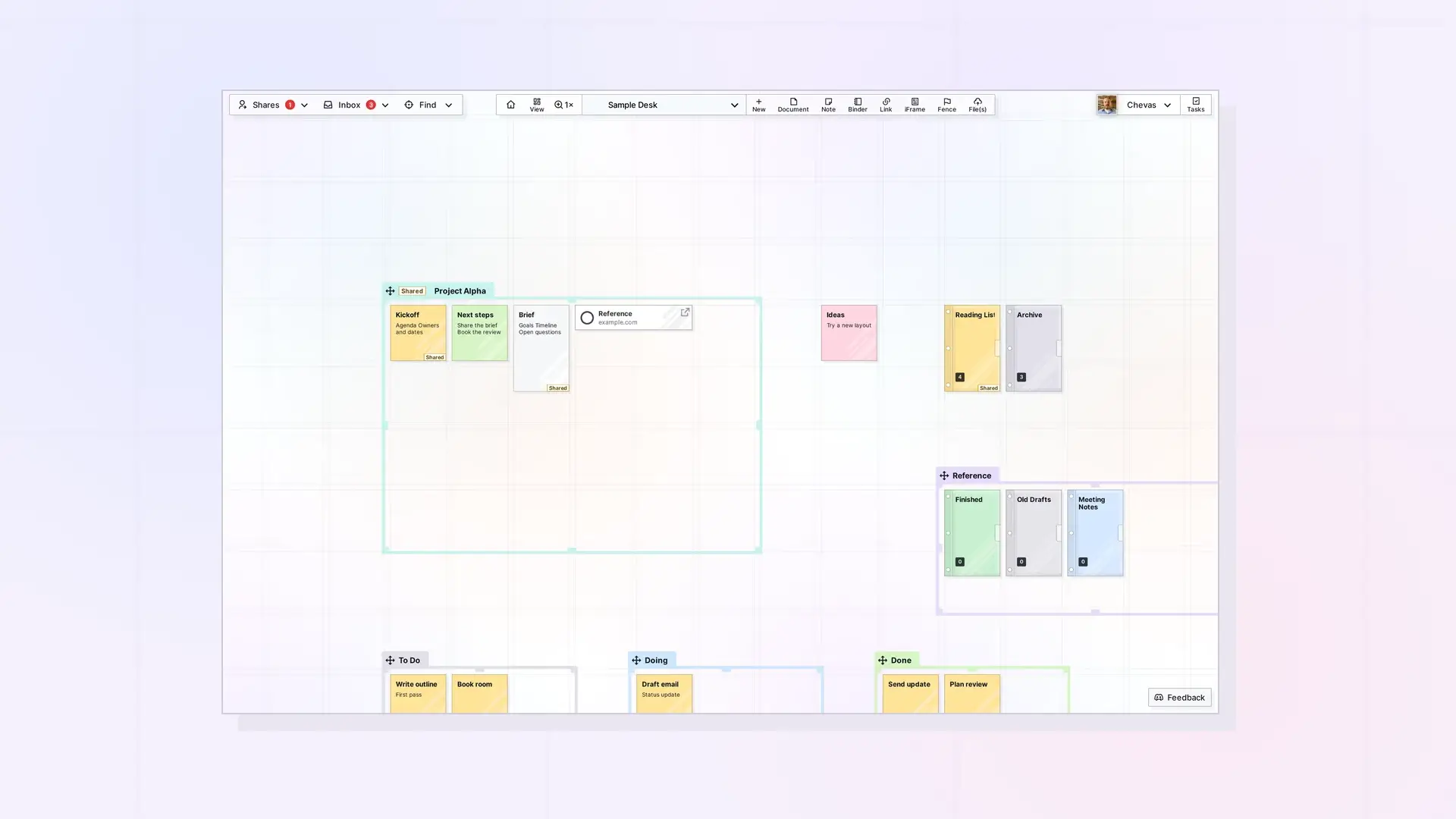
The Items API lists, reads, creates, updates, and deletes your Opal items. Item types are document, note, link, binder, fence, iframe, and file. To write page content, create the item first and then set editorContent with a PATCH. Use GET /items/:id/page to read a document’s body.
Every example uses the base URL https://app.opalrecall.com/api/v1 and a placeholder key. Replace WORKSPACE_ID and ITEM_ID with submission IDs. See API Conventions: IDs, Response Format, and Status Codes for how IDs work. For the item types themselves, read What Are Opal Items.
List Owned Items
GET /api/v1/items
| Parameter | Default | Notes |
|---|---|---|
workspace | none | Filter to a workspace submission ID. |
type | none | Filter by item type. |
limit | 50 | Max 100. |
skip | 0 | Pagination offset. |
shared | false | Set shared=true to append items shared with you. |
curl "https://app.opalrecall.com/api/v1/items?workspace=WORKSPACE_ID&type=note&limit=20" \
  -H "Authorization: Bearer opal_live_xxx"
The response is an array under data. Owned items include access.role: "owner". With shared=true, every active share is appended (not paginated, but filtered by type), each with access.role: "shared", access.permission (legacy string), access.permissions (toggle object, or null for older shares), and access.shareRecordId.
List Inbox Items
GET /api/v1/items/inbox
Returns { "data": { "items": [...], "total": n } }: items you own that have no workspace, plus every active share that is still in your inbox. Shared entries carry share details and your placement in data (isShared: true, shareRecordId, the owner’s ownerSubmissionId, and your xPosition, yPosition, rotation, and parentBinder) and an access block with role, permission, permissions, and shareRecordId.
| Parameter | Default | Notes |
|---|---|---|
limit | 50 | Max 100. Applies to owned items only. Shared inbox items are always all included. |
skip | 0 | Pagination offset for owned items. |
total counts the entries in this response. Owned items are in the inbox as the app decides it: inInbox 1 means the inbox and 0 a workspace, whatever the workspace fields say. An item without inInbox is in the inbox when it has no workspace. Owned items are paged in order of their IDs.
List Shared Items
GET /api/v1/items/shared
Returns { "data": { "items": [...], "total": n } }: items shared with you through active shares. Each entry is the owner’s item with two extra top-level fields, sharePermission (legacy string) and shareRecordId. Query parameters are limit (default 50, max 100) and skip, applied to share records. total counts this page. Positions on these items are the owner’s. Your placement is on the share record. See Position Items: Batch Move, Inbox, and Z-Order.
Get Item Metadata
GET /api/v1/items/:id
Returns { "data": item, "access": {...}, "fences": [...], "position": {...} } if you own the item, it is shared with you, or it is inside a binder or fence shared with you (or a fence inside one).
| How you have access | access |
|---|---|
| You own it | { "role": "owner" } |
| It is shared with you | role: "shared", permission, permissions, effectivePermissions, permissionSources, shareRecordId |
| It is in a binder or fence shared with you | role: "shared", permission, permissions, effectivePermissions, permissionSources, shareRecordId (the container’s share), inheritedFromContainer (the nearest container that gives you access) |
| Someone else added it to a binder you own | role: "owner-via-container", permission, permissions, effectivePermissions, permissionSources, shareRecordId: null, inheritedFromContainer |
permissions is the toggle object: what its own share and the shares of the binders and fences it is in (up to 10 levels of containers) allow, combined. effectivePermissions is the same object, and permissionSources says where each part comes from: { "source": "direct" } (its own share) or { "source": "container", "containerId", "containerType" }. permission is the matching legacy string, or null when no legacy string matches. Without access the route returns 403. If a share points at an item that no longer exists, Opal removes the share and returns 404 with orphanedShareCleaned: true.
fences lists each fence you can see the item in: [{ "fenceId", "title", "offsetX", "offsetY" }], where the offsets are its place inside the fence. position is where it is for you, { "xPosition", "yPosition", "workspace", "inInbox" }: for something inside a fence shared with you, that is inside your copy of the fence, and null when it is not placed anywhere of yours.
Get Full Page Content
GET /api/v1/items/:id/page
Returns page-ready item data with parsed editorContent. Use this route when you need the document body. Access follows GET /items/:id (owner, a share of the item, or a share of the binder it is in). Any other API user can read a published item’s page, unless the publisher’s account has been locked for more than 30 days.
{
  "data": {
    "item": {
      "id": "SUBMISSION_ID",
      "itemId": "item_UUID",
      "type": "document",
      "title": "Plans",
      "description": "",
      "editorContent": {
        "blocks": []
      },
      "position": {
        "x": 10000,
        "y": 10000
      },
      "size": {
        "width": null,
        "height": null
      },
      "rotation": 0,
      "workspace": "WORKSPACE_ID",
      "parentBinder": null,
      "isShared": true,
      "isPublished": false,
      "publicId": null,
      "created": "2026-10-01T09:00:00.000Z",
      "modified": "2026-10-09T17:30:00.000Z",
      "tags": [],
      "color": null,
      "itemClasses": ""
    },
    "shareContext": {
      "isOwner": false,
      "permissions": {
        "canView": true,
        "canEdit": true,
        "canEditTitles": false,
        "canEditColors": false,
        "canEditIcon": false,
        "canAdd": false,
        "canResize": false,
        "canRemove": false,
        "canDelete": false,
        "canShare": false,
        "canManageShares": false,
        "canPublish": false
      },
      "recipientPermissions": "canEdit",
      "sharedBy": {
        "displayName": "Ada",
        "email": "ada@example.com"
      }
    }
  }
}
shareContext for each kind of access:
| Access | shareContext |
|---|---|
| Owner | isOwner: true, permissions: null, recipientPermissions: null, sharedBy: null |
| Shared, directly or through a binder | isOwner: false, permissions (toggle object), recipientPermissions (legacy string or null), sharedBy (displayName, email) when known |
| Published, no share | isOwner: false, permissions with only canView true, recipientPermissions: "canView", sharedBy: null |
position is the owner’s canvas position, not a recipient’s.
Create an Item
POST /api/v1/items
Required fields are type and title.
curl -X POST https://app.opalrecall.com/api/v1/items \
  -H "Authorization: Bearer opal_live_xxx" \
  -H "Content-Type: application/json" \
  -d '{"type":"document","title":"My document","workspace":"WORKSPACE_ID","xPosition":10000,"yPosition":10000,"description":"Optional description","itemIcon":"book-open","itemIconType":"remix","itemIconColor":"#3b4252"}'
| Field | Notes |
|---|---|
workspace | Workspace submission ID. It must be yours (403 for someone else’s, 404 if it does not exist). If omitted, the item is created in your inbox. |
inbox | true places the item in the inbox even when workspace is given. |
workspaceName | Cached workspace address. Defaults to the workspace’s slugPrefix. |
xPosition, yPosition | Canvas coordinates of the item’s top-left corner. Default 10000,10000 for workspace items and 10,10 for inbox items. |
itemColor, itemTextColor | Item and page colors. Notes, binders, and fences default to #ffe399 and #12151a. |
fenceWidth, fenceHeight | Fence size in grid cells (1 to 30). Fences only. Default 1. |
fenceId, offsetX, offsetY | Create it inside a fence: your own, or a shared one you have canAdd on. offsetX/offsetY are its place inside (default 20, 20). workspace and the positions are then ignored. Refusals are as in Fences API. |
linkUrl | Link or iframe URL. Used for link and iframe items only. |
description | Item description. |
editorContent | BlockNote JSON. Content sent on create may not be stored. Set it with PATCH /items/:id after creating. |
itemIcon, itemIconType, itemIconColor | itemIconType is emoji, remix, image, or empty. itemIcon is at most 256 characters. For image it must be the name of a file in your own icon folder (from POST /icons). itemIconColor is #rrggbb or empty. |
rotation is ignored on create. Set it with PATCH. Iframes are created at 700 x 850.
Returns 201 with the new item under data. Its submission ID is data._id. The plan’s item limit is checked first (403, see Errors, Rate Limits, and Plan Limits in the Opal API). Other errors: 400 for a missing or invalid title, type, or icon field.
Update an Item
PATCH /api/v1/items/:id
Send only the fields you intend to change.
curl -X PATCH https://app.opalrecall.com/api/v1/items/ITEM_ID \
  -H "Authorization: Bearer opal_live_xxx" \
  -H "Content-Type: application/json" \
  -d '{"title":"Updated title","description":"Updated description","xPosition":10500,"yPosition":10200}'
Fields an Owner Can Update
Owners can update title, description, workspace (moves the item to another of your workspaces), workspaceName, xPosition, yPosition, rotation, itemColor, itemTextColor, fenceWidth, fenceHeight, editorContent, linkUrl, itemIcon, itemIconType, and itemIconColor, and for a fence keepItemsInFence (true or false). Other fields are ignored. A body with none of these returns 400 No updatable fields provided. A shared fence cannot be made smaller than what is in it (409 with code: "FENCE_TOO_SMALL").
keepItemsInFence is a shared fence’s setting, its owner’s only (403 for anyone else): when another fence is moved with its contents in the app, items that are also in this fence stay in it (true, the default when it is missing), or go with the other fence and leave it for everyone (false, after the app asks).
Fields a Share Recipient Can Update
Recipients can update these fields, each with its permission on the item’s share or on a binder or fence it is in: editorContent, linkUrl, rotation, fenceWidth, and fenceHeight with canEdit; title and description with canEditTitles; itemColor and itemTextColor with canEditColors; itemIcon, itemIconType, and itemIconColor with canEditIcon. A field without its permission returns 403 with an error naming the permissions needed, and fields. The owner of a binder or fence may change all of these on anything in it, including items others put in. Sending a protected field (ownership, workspace, binder or fence membership, publish state, ownerControlsItems, xPosition, yPosition, and similar) returns 403 with {"error":"Shared users cannot modify these fields","fields":[...]}. Changing fenceWidth or fenceHeight also needs canResize, on the item’s share or the binder’s (or the shared fence’s). Without it the route returns 403 with an error naming the fields, and fields. A recipient’s own position of a shared item is on the share record (PATCH /shares/:id). See Sharing API: Shares, Permissions, and Recipient Placement.
Sending Content
Send editorContent as a raw object with a blocks array. Opal wraps a bare array of blocks and parses a JSON string that holds a blocks object or array. Any other string returns 400. Content over 2 MB returns 413. See Writing Page Content: BlockNote JSON and editorContent.
Changing xPosition or yPosition recomputes fence membership for the item’s workspace. Editing a published item through the API does not change its public page. Call POST /items/:id/publish/refresh afterwards. See Publishing API: Publish, Refresh, Status, and Unpublish.
Delete an Item
DELETE /api/v1/items/:id
Owners can delete their items. Deleting a binder releases its items back onto the canvas by default, in a grid to the right of the binder. Deleting a fence leaves its items where they are. To delete a binder or fence and your items in it, add deleteContents=true:
DELETE /api/v1/items/:id?deleteContents=true
Items other people put in your binder: when the binder has ownerControlsItems on, they are yours to control, like your own. They are deleted with it (deleteContents=true), or made yours (their files and image icons move to your storage) and released next to it, as far as your storage has room. Those that do not fit go back to their owners as below. Otherwise they are never deleted: each goes back to its owner, to the workspace where they have the binder (in a grid to the right of it there), or to their inbox if they do not have it in a workspace. Someone else’s item that a recipient filed in the binder from a share stays where its owner has it. A binder inside the one you delete with deleteContents=true is emptied the same way first.
A fence works the same way. Items other people put in your shared fence are, with ownerControlsItems on, deleted with it (deleteContents=true) or made yours where they are, as far as your storage has room. Otherwise (and for those that do not fit) each goes back to its owner, just outside where they have the fence, or to their inbox. Everything inside counts, fences inside it included, and a shared fence of yours inside it, deleted too, is emptied the same way first. For a fence, the response is { "data": { "deleted": true, "id": "...", "deletedItems": n, "returnedItems": n, "notTakenItems": n } }.
Non-owners can never delete a binder (403). A non-owner can delete a leaf item when they have a direct share with canDelete, when they own the binder or fence it is in and it has ownerControlsItems on, or when their share of that binder or fence grants canDelete.
Deleting also removes the item’s share records, its published pages (whoever published them), its files stored in the owner’s storage, and its entry in the binder it was in.
Returns { "data": { "deleted": true, "id": "...", "releasedItems": n, "returnedItems": n, "notTakenItems": n } }, where releasedItems counts items released next to the binder, returnedItems other people’s items sent back to them, and notTakenItems those of them you would have taken but your storage had no room for.
Notify Metadata
POST /api/v1/items/:id/notify-metadata
{
  "field": "title",
  "value": "New title"
}
Tells the item’s share recipients that a field changed. It needs edit access (owner, a canEdit share, or canEdit on the binder it is in). field and value are required. Returns { "success": true }. Integrations rarely need it, because PATCH /items/:id already sends these notifications.
Next Steps
- Write document content: Writing Page Content: BlockNote JSON and editorContent
- Position items on the canvas: Position Items: Batch Move, Inbox, and Z-Order
- Upload files: Upload Files and Media with the API
- Group items: Binders API: Add, Remove, Reorder, and Duplicate and Fences API: Add Items, Read Children, and Move a Fence
- Learn how deleting works in the app: Delete or Archive an Item in Opal
FAQ
How do I get the content of a document?
Call GET /items/:id/page. It returns the item with parsed editorContent. GET /items/:id returns metadata and an access block.
Why can a shared recipient not move my item?
Position is a protected field for recipients in PATCH /items/:id. A recipient’s own placement of a shared item is stored on the share record, which they update with PATCH /shares/:id. Inside a fence shared with them, a recipient with canEdit can move items with the fence routes or POST /items/batch/move. See Fences API: Add Items, Read Children, and Move a Fence.
What item types can I create?
document, note, link, binder, fence, iframe, and file. Create standalone file items with POST /items/upload. See Upload Files and Media with the API.
What happens to items in a binder when I delete the binder?
By default they are released back onto the canvas, in a grid to the right of the binder. With deleteContents=true, your items in it are deleted too.
What happens to items in a fence when I delete the fence?
They stay where they are. With deleteContents=true, your items in it are deleted too. Items other people put in your shared fence go back to them unless the fence has ownerControlsItems on.

