

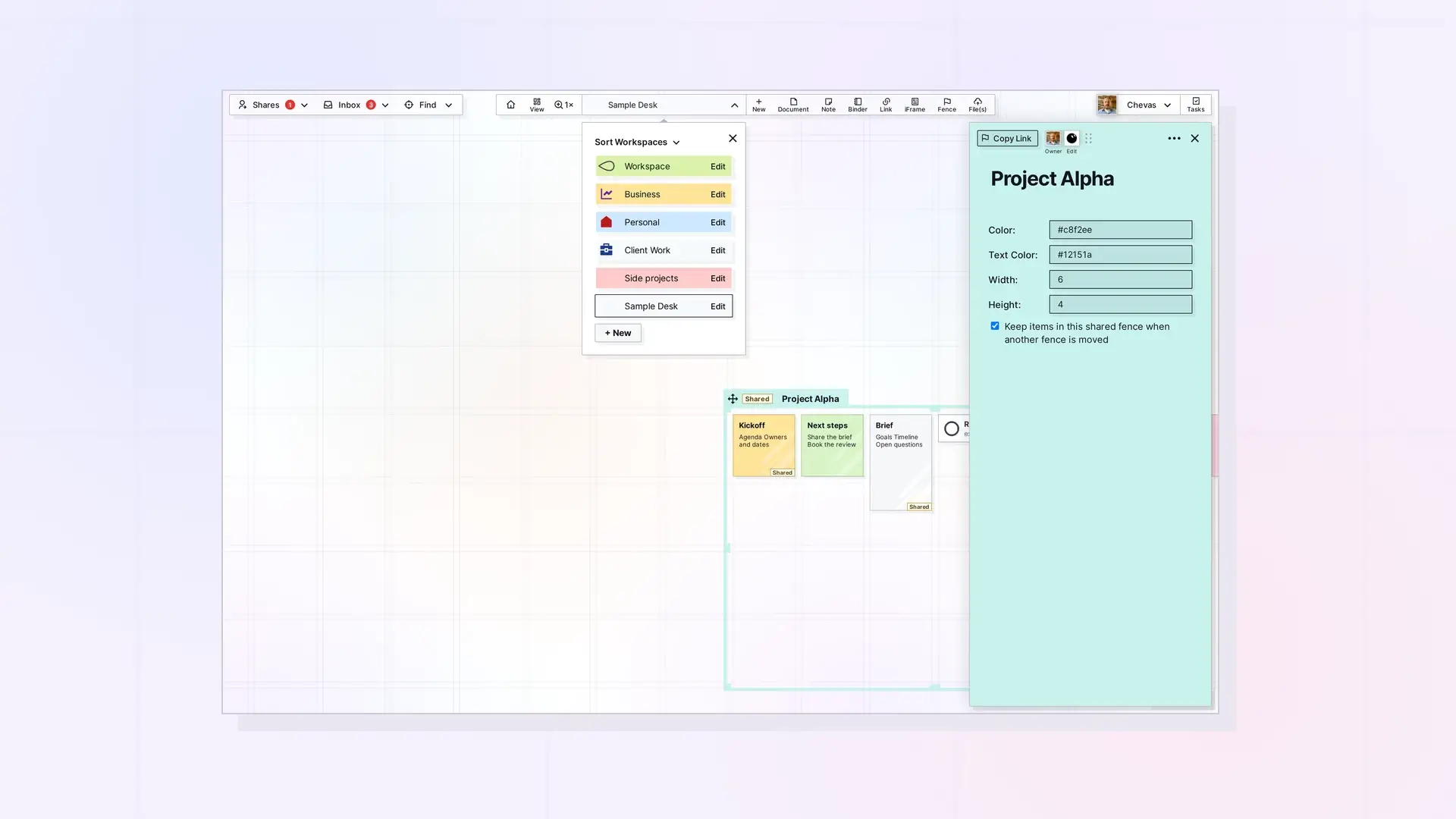
The Workspaces API lists, creates, updates, reorders, and deletes your workspaces and sets their icons. To create one, send a name. Opal makes the workspace address from the name unless you send your own slugPrefix. Creating a workspace is limited by your plan, so check GET /account first.
List Workspaces
GET /api/v1/workspaces
curl https://app.opalrecall.com/api/v1/workspaces \
  -H "Authorization: Bearer opal_live_xxx"
Returns every workspace you own, as an array under data.
Get a Workspace
GET /api/v1/workspaces/:id
Owner-only.
Create a Workspace
POST /api/v1/workspaces
curl -X POST https://app.opalrecall.com/api/v1/workspaces \
  -H "Authorization: Bearer opal_live_xxx" \
  -H "Content-Type: application/json" \
  -d '{"name":"Project Alpha","slugPrefix":"project-alpha","settings":{}}'
name is required. settings is optional. slugPrefix is the workspace’s address (app.opalrecall.com/<slugPrefix>) and is optional. Without it (or with null), Opal makes one from the name, using the next available address (project-alpha, then project-alpha-2, and so on). New workspaces get the app’s default colors and canvas position.
Returns 201 with the workspace under data. data.data.slugPrefix is the address used.
Address Rules
These rules apply to a slugPrefix you send:
| Rule | Reason given in the 400 |
|---|---|
| A non-empty string | Give an address of lowercase letters, numbers and dashes |
Only a-z, 0-9, and - | Use lowercase letters, numbers and dashes |
| Starts and ends with a letter or number | The address has to start and end with a letter or number |
| Not reserved | That address is reserved |
| 2 to 40 characters | The address needs at least 2 characters or The address can be at most 40 characters |
A broken rule returns 400 with Invalid slugPrefix: <reason>. An address already used by any Opal workspace returns 409 {"error":"That slugPrefix is already taken"}. A name with no letters or numbers and no slugPrefix returns 400 (Could not make an address from the name: give a slugPrefix (lowercase letters, numbers and dashes)). At the plan’s workspace limit the route returns 403 with code: "WORKSPACE_LIMIT_REACHED". See Errors, Rate Limits, and Plan Limits in the Opal API.
Reserved addresses:
api, app, p, operator, public, node_modules, logout, login, health, storage-usage, fetchurl, fetchimageurl, css, js, images, fonts, published, purchased, index, waitlist, register, signup, password-reset, password-reset-request, password-reset-update, password-updated, onboarding, finish-setup, join, goodbye, welcome, account, billing, settings, admin, help, support, docs, pricing, terms, privacy, blog, static, assets, www, mail
Update a Workspace
PATCH /api/v1/workspaces/:id
curl -X PATCH https://app.opalrecall.com/api/v1/workspaces/WORKSPACE_ID \
  -H "Authorization: Bearer opal_live_xxx" \
  -H "Content-Type: application/json" \
  -d '{"name":"Project Alpha (2027)"}'
| Field | Notes |
|---|---|
name | Workspace display name. Renaming does not change the address. |
settings | Workspace settings object. |
slugPrefix | Workspace address. A new one follows the create rules (400, or 409 when taken). Sending the current address back unchanged is always accepted. |
workspaceColor, workspaceTextColor | Workspace colors. |
panZoomPosition | Stored canvas pan and zoom position. |
workspaceIcon, workspaceIconType, workspaceIconColor | Icon metadata, checked by the same rules as item icons. |
Owner-only. A body with none of these fields returns 400. Returns the workspace under data.
Reorder Workspaces
PATCH /api/v1/workspaces/reorder
curl -X PATCH https://app.opalrecall.com/api/v1/workspaces/reorder \
  -H "Authorization: Bearer opal_live_xxx" \
  -H "Content-Type: application/json" \
  -d '{"order":["WORKSPACE_ID_1","WORKSPACE_ID_2"]}'
The order array must contain every workspace submission ID you own, and nothing else (400 otherwise). Returns your stored view state under data.
Upload a Workspace Icon
POST /api/v1/workspaces/:id/icon
This is a multipart upload, and the first uploaded file is used, whatever its field name. Owner-only. Image files only (png, jpg, gif, webp, svg; 415 otherwise), within the plan’s file-size and storage limits. SVGs are sanitized. The route updates both the legacy icon field and workspaceIcon and returns the workspace under data.
Delete a Workspace Icon
DELETE /api/v1/workspaces/:id/icon
Deletes the current workspace icon file when it is in your storage and clears the icon fields.
Delete a Workspace
DELETE /api/v1/workspaces/:id
Owner-only. What is in the workspace goes with it, as in the app. Your items in it are deleted the way DELETE /items/:id deletes them (a binder as with deleteContents=true: your items in it are deleted, and other people’s go back to them unless the binder has ownerControlsItems on). A fence on it is deleted as with deleteContents=true too. You leave the shares you placed in it, as with DELETE /shares/:id, except that your items in a shared binder or fence you placed there are deleted with it (or become its owner’s, when it has ownerControlsItems on). Inbox items that still carry the workspace’s fields stay. If it was your active workspace, the next in your workspace order becomes active.
Returns { "data": { "deleted": true, "id": "...", "deletedItems": n, "returnedItems": n, "leftShares": n } }.
Deleting a workspace deletes the items in it. Every key acts on live data, so check the workspace ID before you call this.
Next Steps
- Check your workspace limit: Plan, Limits, and Usage in the Opal API: GET /account
- Create items in a workspace: Items API: List, Get, Create, Update, and Delete
- Save views of a workspace: Saved Views API: Save, List, and Set Your Home View
- Learn workspaces in the app: Create Your First Workspace: A Visual Desk, Edit a Workspace, Reorder Workspaces, and Delete a Workspace
FAQ
How many workspaces can I create with the API?
As many as your plan allows. At the limit, POST /workspaces returns 403 with code: "WORKSPACE_LIMIT_REACHED". Check plan.limits.workspaces and usage.workspaces in GET /account.
What address does a new workspace get?
If you leave out slugPrefix, Opal makes one from the name and uses the next available address, such as project-alpha, then project-alpha-2.
Does renaming a workspace change its address?
No. Renaming does not change the address. To change the address, send a new slugPrefix.
Why did I get a 409 when creating a workspace?
The slugPrefix you sent is already used by an Opal workspace. Omit it, or try another one.

