

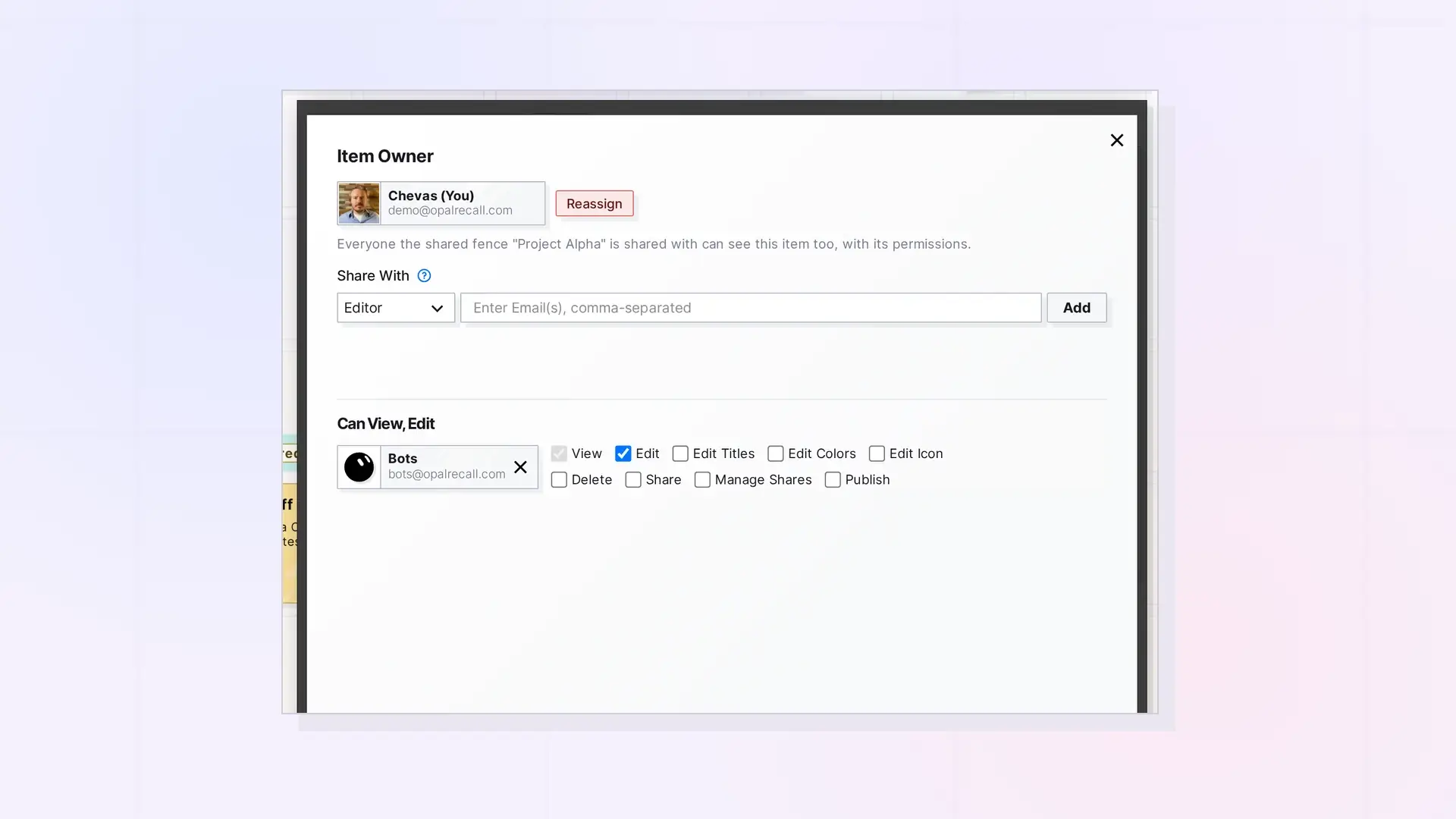
Sharing gives specific people access to one of your items inside Opal. You choose a role, such as Viewer or Editor, and invite them by email. Once they accept, the item appears on their desk and you work on the same item together. You can share documents, notes, links, iFrames, files, binders, and fences.
How Sharing Works
- You open an item, click …, then click Share.
- You pick a role and add one or more email addresses.
- You click Send Invite. Each person gets a Shares notification, and people without an Opal account get an email inviting them to sign up.
- They accept, place the item on one of their workspaces, and work on it with you, live.
What You Can Share
| Item type | Share | Send a Copy | Publish |
|---|---|---|---|
| Documents | Yes | Yes | Yes |
| Notes | Yes | Yes | Yes |
| Links | Yes | Yes | Yes |
| iFrames | Yes | Yes | Yes |
| Files | Yes | Yes | Yes |
| Binders | Yes | No | Yes |
| Fences | Yes | No | Yes |
Whole workspaces cannot be shared yet.
Three Ways to Give Someone Access
- Share: they work on your item with you. Changes show up for everyone.
- Send a Copy: they get their own independent copy. Your original is not connected to it.
- Publish: anyone with the link can view a read-only public page, no account needed.
See Share, Send a Copy, or Publish? Choosing the Right Option.
Plans
Sharing and publishing single items is included in Day Desk, Studio, and Workshop. Sharing binders and fences, and viewing a shared binder or fence, needs a Studio or Workshop plan. Shared items count toward the recipient’s item limit. See Shared Items and Your Plan Limits.
For Developers
Sharing is available in the Opal REST API. See Sharing API: Shares, Permissions, and Recipient Placement.
Next Steps
- Share an Item Step by Step
- Share Roles and Permissions Explained
- Accept or Decline Something Shared with You
FAQ
Does the other person need an Opal account?
Yes, to open the share. If they do not have one, the invitation email asks them to sign up. See Share with Someone Who Does Not Have an Opal Account.
Can I share a whole workspace?
Not yet. Share items, binders, and fences. Group what you want to share in a fence and share the fence.
Who owns a shared item?
You do. The people you share with work on your item, but it stays yours unless you hand it off. See Reassigning Ownership of Shared Items and Containers.

